Small Business Booking Software for Cayman Thanksgiving Weekend
A holiday weekend can change the rhythm of a service business very quickly.
A salon may have customers trying to fit appointments around family plans. A spa may have people looking for treatment before a gathering. A fitness studio may need to adjust classes because of different staff availability. A massage business may have fewer working hours, but more customers are looking for convenient appointment times.
The difficult part is not simply getting bookings. It is preparing the business to handle them without creating scheduling problems.
That is why a holiday weekend deserves a small booking plan of its own.
For Cayman businesses, Cayman Thanksgiving is a useful example. The Cayman Islands Government officially recognizes Cayman Thanksgiving on the first Sunday of December, although it is not a public holiday. It marks the end of the Atlantic hurricane season and is part of the national calendar. In 2026, Cayman Thanksgiving falls on December 6.
That gives local salons, spas, beauty businesses, massage studios and fitness businesses a natural point to review their December schedules before the weekend arrives.
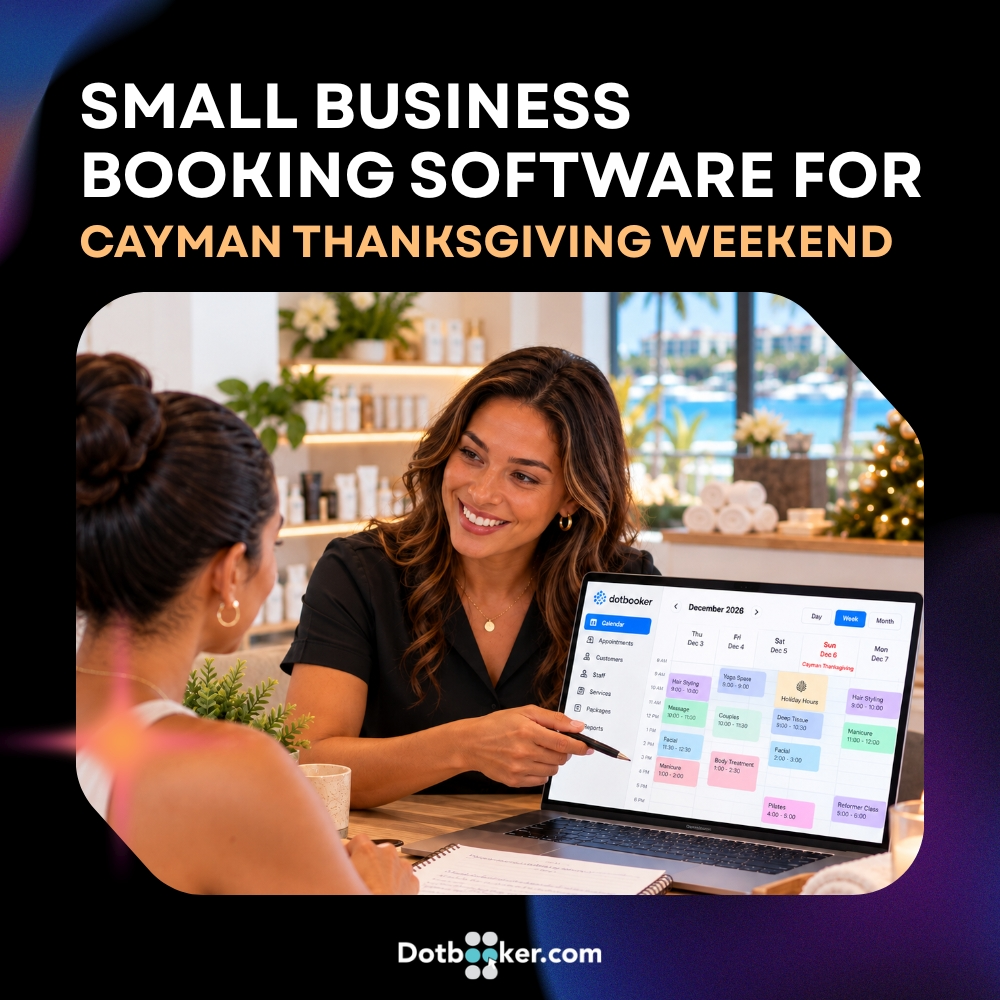
A useful small business booking software approach can bring the pieces together: available hours, employees, services, packages, bookings, reminders and schedule changes.
The idea is simple: Plan the capacity first. Open the bookings for a second.
What Can a Holiday Weekend Booking Plan Actually Do?
A holiday booking plan is not a complicated business document. It is a practical way to decide what the business can offer, when it can offer it and how customers will book it.
The POS System holiday business planning guide takes a similar planning-first approach by looking at areas such as the target customer, local market, customer experience, pricing, booking channels, daily operations and financial expectations rather than treating a holiday period as a single promotion.
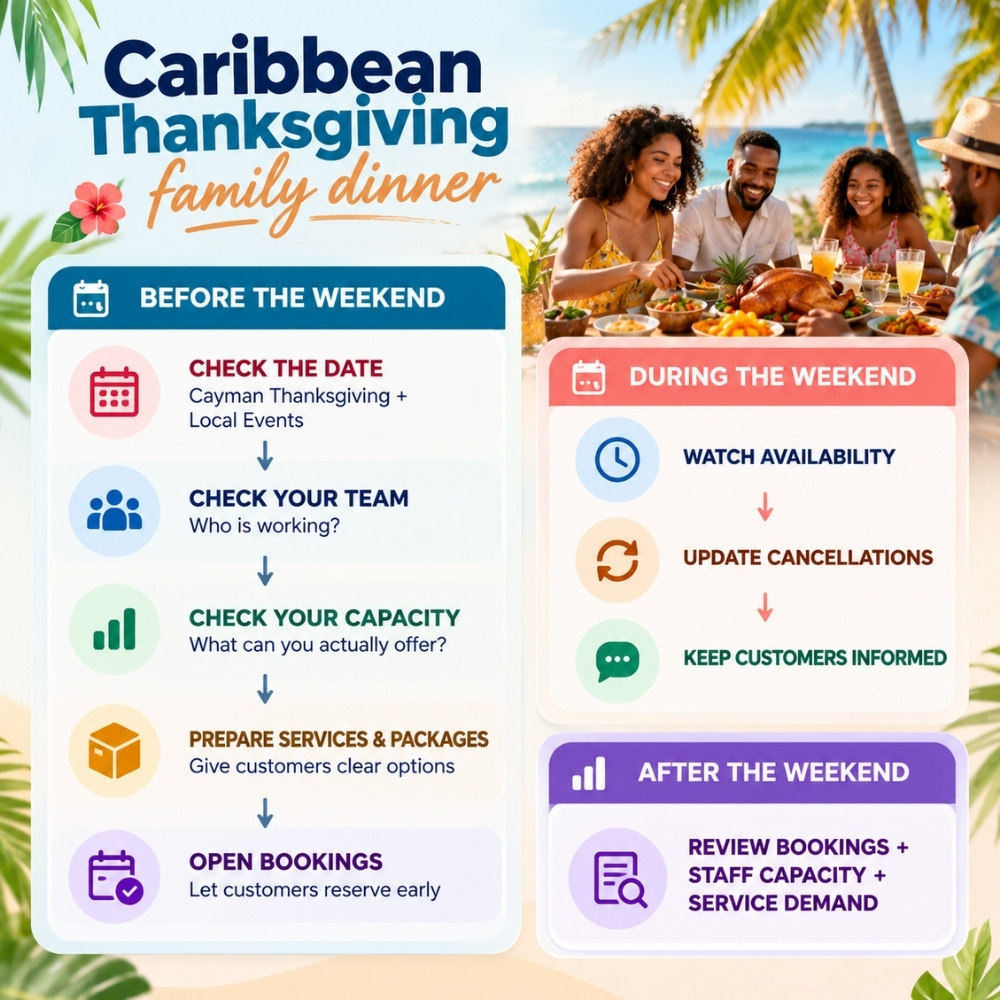
For a service business, this can be simplified into: Date → Demand Possibilities → Capacity → Staff → Services → Bookings → Reminders → Review
A small business booking software platform can support several of these steps by giving the business a central place to manage appointments, staff availability, and customer bookings. The goal is not to predict exactly how many people will book. The goal is to make sure the business is ready if online bookings increase.
Why Businesses Should Prepare Before December Arrives
The first mistake a small business can make is waiting for customers to start booking before checking whether the business is ready.
Imagine a salon normally has five stylists working on Saturday, but two have already requested time off. The usual Saturday schedule no longer applies.
Or imagine a fitness studio normally runs six classes, but one instructor is unavailable during the holiday period.
The calendar needs to reflect reality before customers begin choosing appointments.
This is where small business booking software can be useful. A business can review its calendar, employee availability and services before opening holiday appointments.
November is a sensible time to start reviewing the December schedule because Cayman Thanksgiving takes place on the first Sunday of December. The official Cayman Islands Government calendar confirms that Cayman Thanksgiving is recognized on Sunday, while it is not classified as a public holiday.
Businesses should still decide their own opening hours, and staffing based on their operations.
The holiday is a planning reference, not a prediction of customer demand.
Which Services May See Earlier Demand?
Different service businesses have different reasons to prepare early.
A salon may have customers planning appointments before social gatherings.
A spa may have customers looking for treatments around a busy weekend.
A massage business may have customers trying to fit an appointment into a limited schedule.
A fitness studio may need to publish its holiday class timetable earlier than usual. These are possibilities, not guaranteed demand patterns.
The better question is: Which services are customers most likely to plan around their weekend?
Looking at a Cayman events calendar can provide useful local context. A business can review upcoming events, community activities and important dates before deciding whether any changes to its schedule make sense.
For example, if a local event is taking place on a Saturday afternoon, a business might review whether its normal Saturday schedule still works.
It does not mean the business should automatically add more appointments. It means the owner has a reason to look at the calendar before the date arrives.
Review Your Weekend Availability
Once the date is clear, look at the actual appointment capacity. Ask:
- What time will we open?
- What time will we close?
- Which services will be available?
- How long does each service take?
- Which appointment slots should remain blocked?
- How many customers can the team realistically handle?
This is where a booking plan becomes practical.
A service business should not simply copy its normal weekly schedule and assume the holiday weekend will work the same way.
A massage studio might shorten its Saturday hours.
A salon may have fewer stylists.
A fitness studio may run fewer classes.
A spa may offer only selected treatments.
The online calendar should show those decisions clearly. With small business booking software, businesses can make their available appointment slots reflect their actual operating plan instead of allowing customers to book against a normal schedule that no longer applies.
Confirm Staff Schedules Early
Customer bookings and employee availability need to work together. If three employees are unavailable, the business should know that before opening additional appointment slots.
This can help the owner compare employee availability with customer booking capacity.
If only one therapist is available on Saturday, the business should not publish more massage appointments than that person can reasonably handle.
Employee availability can also change during the planning period, so it helps to review the schedule again as the weekend approaches.
Create Relevant Packages Rather Than Random Discounts
Holiday planning does not automatically require a discount.
A service package may make more sense when it combines services that naturally belong together.
For example:
Salon: Hair service + finishing service
Spa: Treatment + selected add-on
Beauty: Two complementary services
Fitness: Several classes within a defined period
The exact package should depend on the business.
The important thing is that customers understand what they are getting and how they can use it.
A useful package should answer:
What is included?
Who is it for?
When can it be used?
How does the customer book it?
How long is it valid?
If a business uses small business booking software with package functionality, these offers can be connected to the wider booking process instead of being managed only through promotional messages.
That can make the offer easier to administer while keeping the booking journey straightforward.
Make Booking Available Before Customers Start Planning
Customers do not plan all at the same time.
Some may book weeks ahead.
Others may decide a few days before the weekend.
Some may only look for an appointment when they suddenly realize their preferred time is almost gone. Opening bookings early gives customers more choice. It also gives the business more visibility.
Suppose Saturday morning starts filling quickly.
The owner can see it.
Suppose Sunday afternoon remains mostly open.
The owner can see that, too.
This is one of the useful aspects of small business booking software. The business can monitor its calendar as customers make reservations rather than waiting until the weekend arrives to understand how busy it might be.
Advance booking can also give the business time to respond to changing demand without making promises it cannot keep.
Use Reminders as the Weekend Approaches
Booking early is helpful, but customers still have busy lives. Around Cayman Thanksgiving and other seasonal periods, people may have family commitments, community activities or other plans. A simple reminder can help keep the appointment visible. A reminder might include:
Appointment: Massage
Date: Saturday, December 5
Time: 10:00 AM
Location: Business location
Action: Manage or contact the business if plans change
The message does not need to feel like another advertisement. A simple: "Your appointment is coming up this Saturday at 10 AM. We look forward to seeing you."
Calendar functionality supports booking confirmations, reminders, and schedule updates connected with appointment records. That can save staff from manually sending every appointment reminder.
Keep the Experience Local and Customer-Friendly
A holiday weekend is not just a sales opportunity. For many Cayman businesses, customers already have a relationship with the business.
- A regular salon customer may know their stylist.
- A fitness member may attend the same class every week.
- A spa customer may have a preferred therapist.
A visitor may simply want a convenient appointment during a short stay. The booking experience should respect those different needs.
- Keep service names clear.
- Show actual availability.
- Make holiday hours easy to understand.
- Keep the booking process short.
Give customers an easy way to ask for help when they need it. A Cayman events calendar can provide local context while planning, but the business should still base its actual staffing and booking decisions on its own capacity.
The most customer-friendly holiday strategy may be surprisingly simple: Make it easy to know when you are open and easy to book when you are available.
What If Customers Cancel or Reschedule?
The holiday calendar can change quickly. A customer may cancel. An employee may become unavailable. A previously blocked appointment slot may open. A business may decide to extend its hours. The calendar should reflect those changes.
For example: Saturday, 2 PM
Booked → Customer cancels → Slot opens → Another customer books
This is more useful than leaving the appointment unavailable because nobody remembered to update the schedule.
Dynamic Calendar provides real-time availability and supports changes when appointments are cancelled, rescheduled, or when staff availability changes. For a small business, keeping availability current can help turn an unexpected opening into another bookable opportunity.

Keep Last-Minute Availability Visible
Not every customer will book early. Some people will search for an appointment because their plans changed at the last minute. That makes accurate availability useful throughout the weekend.
Imagine a customer canceling a Saturday afternoon salon appointment.
If the slot is immediately updated, another customer may be able to book it. The same principle applies to fitness classes and other appointment-based services.
This is where real-time calendar updates can help. Real-time availability and lets businesses keep open, booked and blocked times visible through its calendar. Dotbooker
The business does not have to promise that a last-minute appointment will always be available. It simply needs to make genuine openings visible.
Use Packages with a Clear Purpose
Packages can also be useful during holiday periods when they fit naturally with the business.
But the package should not create more confusion than it solves. For example, a fitness studio could offer a package that covers several eligible classes.
A beauty business could combine two related services.
A spa could create a package around services that customers can schedule together. The booking process should make the package conditions clear. This includes:
- Services included
- Validity period
- Number of sessions
- Booking conditions
- Payment requirements
With a connected booking process, staff can spend less time checking package details manually before confirming appointments. Small Business Platform includes package management alongside calendar and booking functionality, allowing businesses to manage packages as part of their wider service operation.
Review What Happened After the Weekend
Once the holiday weekend is over, do not simply move on to the next week. Take a few minutes to review the calendar. Ask:
Which services were booked for most?
Which time slots filled first?
Which appointments remain available?
Did employee availability match customer bookings?
Were there cancellations?
Did customers use packages?
Were there repeated requests for unavailable times?
These answers can help with future planning.
The next busy weekend may not behave the same way, but the information can give the business a better starting point.
Calendar reporting includes booking patterns, peak periods, cancellations, staff schedules, client activity and resource usage, which can help owners review how their scheduling is performed.
Why a Booking Plan Helps More Than a Holiday Promotion
A holiday promotion may attract attention. A booking plan helps the business handle what happens after someone decides to book.
That distinction matters. If a customer sees a package but cannot find an available time, the promotion has not solved the customer's problem.
If the business opens bookings but does not account for staff's availability, the calendar may create scheduling problems.
If customers book early but receive no reminder, the business may face avoidable cancellations or missed appointments. The pieces need to work together. That is why small business booking software can be useful for holiday planning. It can connect to the calendar with available appointments, employee schedules, packages, and customer communication.
Technology does not decide what your business should offer. The business still makes those decisions. The system simply helps keep those decisions organized.
Prepare the Calendar Before the Weekend
A busy holiday weekend does not have to mean a busy front desk. For a Cayman salon, spa, beauty business, massage studio or fitness business, preparation can start with a simple calendar review.
Check the date, review your opening hours, confirm employees, and decide which services are available. Create useful packages when they fit. Open bookings early. Keep availability accurate. Send reminders. Then review what happened after the weekend.
Cayman Thanksgiving is a useful local example because it is observed on the first Sunday of December and officially recognized as part of the national calendar, while not being a public holiday. Cayman Islands Government
The same planning approach can work around other Cayman Islands holidays, community events, and busy weekends.
You do not need to guess exactly how many customers will book. You need to know what your business can handle when they do.
That is where small business booking software can help. Dotbooker brings calendar management, real-time availability, staff scheduling, packages, booking confirmations, reminders and reporting into a connected service business workflow.
For a small Cayman business, the goal is straightforward: Plan your capacity, make bookings easy, and keep customers informed.
And when the weekend arrives, your team can focus less on sorting out the schedule and more on serving the customers who booked. The best holiday booking plan starts before the first appointment is made.