
How Resource Scheduling Helps Businesses Manage Rooms, Equipment, and Staff Together
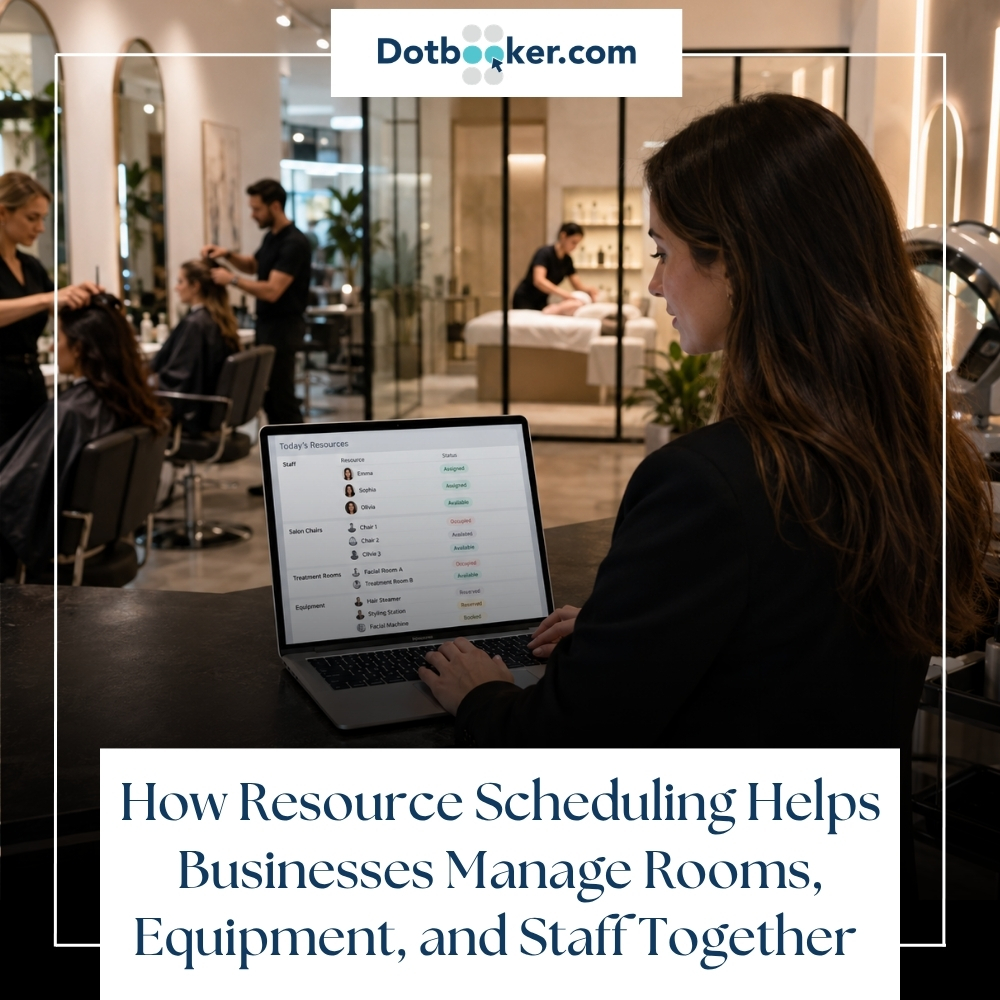
A customer books a session. The room looks free. The staff members seem to be available. The equipment is somewhere in the building. Everything appears fine until the customer arrives, and the team realizes that the room is still occupied; the required device is already in use, and the assigned staff member has been pulled into another booking.
This is how scheduling problems usually begin. Not with one big mistake, but with several small gaps that nobody notices until the business is already under pressure.
For service-based businesses, this kind of confusion can quickly affect customer trust, staff confidence, and daily revenue. Whether you manage a wellness studio, salon, clinic, training center, gym, office, hospitality venue, or community facility, your business does not run on appointments alone. It runs on the right mix of rooms, equipment, staff, time, and preparation.
That is where resource scheduling software becomes a real business advantage.
Instead of treating every resource separately, it connects the full picture. A room is not just a room. A staff member is not just a name on a shift. Equipment is not just an asset sitting in storage. Each one plays a role in delivering the service properly.
When all of them are scheduled together, the business starts feeling more organized, predictable, and easier to manage.
Resource Scheduling Software Solves Hidden Planning Gaps
At the beginning, many businesses rely on simple tools. A shared calendar, a spreadsheet, WhatsApp messages, front desk notes, or quick verbal updates may be enough when the business is small.
One room. A few staff members. Limited equipment. A small number of daily bookings.
It feels manageable.
Then the business grows.
More customers start booking. New services have been added. Staff shifts have become more complex. Rooms are shared between different services. Equipment moves between departments. Managers start handling multiple locations. Customers expect faster confirmations, smoother check-ins, and clearer communication.
This is when the old scheduling process starts showing cracks.
A room may be booked for a client, but the staff member may not be available. A trainer may be ready, but the studio may still be occupied. A treatment room may be free, but the required equipment may already be reserved. A meeting may be confirmed, but the video setup may not be ready.
The issue is not only poor planning. The real issue is disconnected planning.
Rooms are managed in one place. Equipment is tracked somewhere else. Staff schedules are handled separately. Customer bookings sit in another system. By the time someone notices the conflict, the business is already trying to fix the problem in front of the customer.
What Resource Scheduling Software Really Means
Resource scheduling software helps businesses manage shared resources from one place. These resources can include rooms, equipment, staff, facilities, workstations, vehicles, tools, devices, studios, chairs, courts, classrooms, or service areas.
The goal is simple: make sure every booking has everything it needs before it is confirmed.
A proper resource scheduling system can help answer questions like:
- Is the room available at this time?
- Is the right staff member available?
- Is the required equipment already booked?
- Does this booking need setup time?
- Does the room need cleaning before the next appointment?
- Can this staff member handle this service?
- Is this facility blocked for maintenance?
- Can this booking be accepted without creating a conflict?
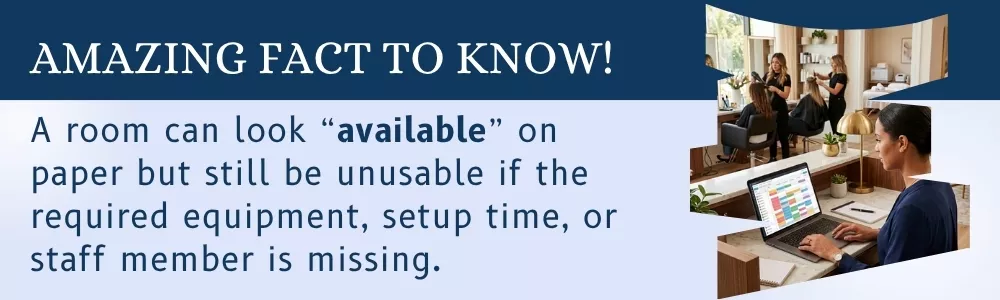
This is what makes resource scheduling software different from a basic appointment calendar. A regular calendar may show time slots. Resource scheduling shows whether the business can actually deliver the service during that time slot.
Why Resource Scheduling Software Connects Everything
A business service rarely depends on only one thing.
- A spa appointment may need a treatment room, therapist, product setup, and device.
- A fitness class may need a studio, trainer, mats, sound system, and check-in process.
- A clinic appointment may need a consultation room, doctor, nurse, and medical device.
- A corporate meeting may need a room, screen, conferencing tool, and support person.
- A training session may need a classroom, instructor, projector, and printed material.
If any one of these is missing, the booking becomes difficult to deliver. The customer may not care why the service is delayed. They only saw that the experience was not smooth.
That is why businesses need scheduling that connects all resources. Room scheduling software, equipment scheduling software, and facility scheduling software are strongest when they work together instead of standing alone.
Room Scheduling Software Checks True Availability
Rooms are often treated as simple spaces. If nobody is inside, the room is available. But in real business operations, that is not always true.
A room may be empty but not cleaned.
- It may be available but too small for the booking.
- It may be free but missing the required setup.
- It may be blocked for maintenance.
- It may need extra preparation before the next session.
- It may be suitable for one service but not another.
This is why room scheduling software is useful for businesses that depend on shared spaces. It helps teams see more than basic availability. It can show room capacity, purpose, setup time, cleaning gaps, assigned staff, and linked equipment.
Room Scheduling Software Improves Daily Operations
With proper room scheduling software, the front desk does not need to guess which room is open. Staff members do not need to walk around checking availability. Managers do not need to solve last-minute space conflicts.
The system can show which rooms are booked, which are free, which are blocked, and which are prepared.
- For a wellness studio, this means treatment rooms can be assigned properly.
- For a clinic, consultation rooms can be planned around doctors and patient flow.
- For a training center, classrooms can be booked based on batch size and equipment needs.
- For an office, meeting rooms can be reserved without double bookings.
- For a hospitality venue, event spaces can be scheduled with setup and service time included.
A room is valuable only when it is used properly. Better room scheduling helps businesses get more value from the space they already have.
Equipment Scheduling Software Prevents Costly Delays
Equipment usually becomes a problem only when someone needs it and cannot find it.
A projector is missing before training begins. A therapy device is already being used in another room. A camera is booked by another team. The salon device is not cleaned after the previous service. A medical machine is unavailable during a confirmed appointment.
These problems may seem small, but they can delay the entire service.
Equipment scheduling software helps businesses know where each item is, who booked it, when it is needed, and when it should return.
Why Equipment Scheduling Software Matters
For businesses with shared assets, equipment is part of the customer experience. If the right equipment is not ready, the service quality drops.
- A fitness center may need specific machines for private training.
- A salon may need beauty devices for selected treatments.
- A clinic may need diagnostic equipment.
- A training company may need projectors, laptops, or audio systems.
- A facility team may need tools, carts, vehicles, or maintenance devices.
Equipment of scheduling software helps reduce confusion by allowing teams to reserve equipment along with the booking. This keeps the resource plan complete.
Instead of asking, “Does anyone know where this device is?” The team can check the system and get the answer.
Staff Scheduling Software Goes Beyond Shifts
A staff schedule may show that someone is working from 9 AM to 6 PM. But that does not automatically mean they are available for every booking during that time.
- They may already be assigned to another service.
- They may not be trained for a specific task.
- They may need preparation time.
- They may be on break.
- They may be working at another location.
- They may be handling a customer who arrived late.
This is why staff scheduling must relate to resource scheduling.
Matching the Right Person with the Right Resource
The best scheduling process does not simply ask, “Who is working today?” It asks, “Who is available, qualified, and suitable for this booking?”
For example, a massage booking should be linked to the right therapist and room. A group class should be linked to the right instructor and studio. A maintenance task should be linked to the right technician and equipment. A meeting room booking may need support staff for setup.
Resource scheduling software helps businesses avoid assigning staff blindly. It gives managers a clearer way to match people, services, rooms, and tools.
This helps staff too. They get a clearer schedule, fewer last-minute surprises, and less pressure from avoidable conflicts.
Facility Scheduling Software Controls Shared Spaces
Many facilities are no longer used for only one purpose.
A room may host a team meeting in the morning, a client consultation in the afternoon, and a workshop in the evening. A studio may be used for yoga, Pilates, dance, and private coaching. A hotel space may be used for conferences, celebrations, training, and private events.
Facility scheduling software helps businesses manage these mixed-use spaces without daily confusion.
It allows teams to set booking rules based on time, service type, room capacity, staff needs, setup time, cleaning time, approval levels, and maintenance blocks.
Why Facility Rules Matter
Without rules, people may book spaces for longer than needed. Rooms may be used without cleanup time. Equipment may be reserved without approval. Customers may book services during unavailable hours. Staff may get assigned across overlapping locations.
Good facility scheduling software helps businesses control these details before they become problems.
It can help answer:
- Which spaces can be used for which services?
- How much time is needed between bookings?
- Which bookings need approval?
- Which rooms are not available after business hours?
- Which equipment can be used only by selected staff?
- Which facility is under maintenance?
This gives managers better control without having to manually check every booking.
Poor Resource Scheduling Creates Real Costs
Poor scheduling does not always appear as a direct expense on a report. But it affects the business in many visible and hidden ways.
- A delayed appointment can affect customer satisfaction.
- A double-booked room can damage the brand experience.
- A missing device can reduce service quality.
- An overworked staff member can lose focus.
- An unused room can reduce revenue.
- A confused front desk can slow down the entire day.
- A poorly planned facility can create stress for everyone.
In service-based businesses, timing has a direct connection with customer trust. When customers arrive and everything is ready, they feel confident. When the team is rushing, checking, shifting, and apologizing, customers notice.
Resource scheduling software helps reduce these moments. It creates a cleaner daily rhythm where bookings are confirmed with the right resources behind them.
Resource Scheduling Software Improves Customer Experience
Customers usually see the front stage of a business. They see the greeting, the room, the staff member, the service, and the checkout experience.
They do not see the planning behind it.
But they can feel that planning is missing.
- If the room is not ready, they feel it.
- If the staff member is confused, they feel it.
- If the equipment is unavailable, they feel it.
- If the appointment starts late, they feel it is not possible.
Good scheduling creates a smoother experience before the customer even walks in. The room is prepared. The staff member knows the booking. The equipment is reserved. The front desk knows where to guide the customer. The service starts without unnecessary delays.
That is why resource scheduling is not only an internal management tool. It is also part of customer experience.
For service businesses where every appointment depends on the right room, staff member, and equipment being available, smarter scheduling can make daily operations far easier to manage. You can also read Dotbooker’s guide on smarter scheduling for physiotherapy practices to see how connected booking systems help reduce missed appointments and scheduling conflicts.
Resource Scheduling Software for Different Businesses
Resource scheduling software can support many industries because almost every business has shared resources that must be managed carefully.
Fitness and Wellness Studios
Fitness and wellness businesses often manage studios, trainers, private rooms, mats, reformers, treatment devices, and class schedules. Resource scheduling helps them avoid class conflicts, trainer overlaps, and room for confusion.
Salons and Spas
Salons and spas need to manage service rooms, chairs, therapists, stylists, machines, product stations, and appointment timing. A connected schedule helps the team deliver services without rushing between bookings.
Clinics and Healthcare Centers
Clinics need to coordinate doctors, nurses, consultation rooms, treatment rooms, and medical equipment. Resource scheduling helps reduce patient waiting time and keeps daily appointments more organized.
Training Centers and Schools
Classrooms, instructors, projectors, labs, computers, and learning material must be planned together. A scheduling system helps avoid classroom conflicts and supports better session planning.
Offices and Corporate Spaces
Meeting rooms, interview rooms, workstations, video conferencing tools, and shared equipment can be managed more clearly with room scheduling software.
Hotels, Clubs, and Event Venues
Facility scheduling software helps manage event spaces, banquet halls, staff setups, equipment, cleaning gaps, and event timing. This is especially useful when one venue handles different types of bookings in one day.
Maintenance and Operations Teams
Technicians, tools, vehicles, service areas, and maintenance schedules can be assigned together. This helps teams finish tasks without waiting for equipment or access.
Key Features of Resource Scheduling Software
Not every scheduling tool can manage rooms, equipment, staff, and facilities together. Businesses should look for features that support real operations, not just calendar entries.
Central Calendar View
A central calendar helps managers see all bookings in one place. This includes rooms, staff, equipment, and facility blocks. It reduces the need to check multiple files or ask different team members for updates.
Real-Time Availability
Real-time availability helps users' books with confidence. If a room or staff member is already booked, the system should show it immediately.
Conflict Prevention
The system should prevent double bookings. If a resource is already assigned, it should not be available for another booking at the same time.
Resource Linking
A strong scheduling system should allow one booking to include multiple resources. For example, one appointment can include a room, staff member, device, and setup time.
Staff Assignment Rules
Businesses should be able to assign staff based on roles, skill, availability, location, or service type. This is especially useful for service businesses with specialized staff.
Equipment Tracking
Equipment scheduling software should show when an item is booked, where it is being used, who is responsible, and when it should be returned.
Room Setup and Cleaning Time
Back-to-back bookings may look good on paper, but they often create pressure in real life. The system should allow buffer time for setup, cleaning, reset, or preparation.
Notifications and Reminders
Automatic reminders help staff and customers stay informed. They also reduce missed bookings and last-minute confusion.
Reports and Usage Analytics
Reports can show which rooms are used most, which equipment is in high demand, which staff members are overloaded, and which time slots are underused.
Multi-Location Management
For businesses with more than one branch, location-wise scheduling is very useful. Owners and managers can track resources separately while still having a complete view of the business.
Scheduling Data Helps Businesses Plan Better
A good scheduling system does more than manage bookings. It helps business owners understand how their resources are actually being used.
For example, if one room is always fully booked and another is rarely used, the business can adjust to services or room setup. If one device is always in demand, the owner may decide to purchase another unit. If certain time slots are always empty, the business can run special offers or adjust staff planning.
Scheduling data can also show staff workload. If one staff member is constantly overbooked while another has too many open slots, managers can balance assignments better.
Without this data, many decisions are based on guesswork. With resource scheduling software, business owners can make decisions based on real booking patterns.
Common Resource Scheduling Mistakes to Avoid
Many businesses try to improve scheduling but still struggle because they only fix part of the problem.
Mistake 1: Managing Every Resource Separately
Rooms, equipment, and staff should not be planned in isolation. If these schedules do not speak to each other, conflicts will continue.
Mistake 2: Ignoring Buffer Time
A room may need cleaning. Equipment may need resetting. Staff may need a few minutes between bookings. Without buffer time, the schedule becomes too tight.
Mistake 3: Not Tracking Actual Usage
A room may be booked, but was it actually used? Equipment may be reserved, but was it returned on time? Usage tracking helps businesses improve their planning.
Mistake 4: Relying Too Much on One Person
If only one person knows the real schedule, the business becomes dependent on that person. A shared system gives everyone better visibility.
Mistake 5: Choosing a Tool That Cannot Grow
A basic calendar may work today, but it may not support multiple locations, staff roles, equipment tracking, reporting, approvals, or facility rules later.
Growing Businesses Need Resource Scheduling Software
Growth brings more bookings, more people, more rooms, more equipment, and more customer expectations.
Manual coordination becomes harder as the business grows. The team spends more time checking availability, correcting mistakes, sending reminders, and adjusting schedules. What once felt simple becomes a daily source of pressure.
Resource scheduling software gives growing businesses a better way to manage this pressure. It helps them accept more bookings without losing control. It helps staff work with clearer information. It helps customers enjoy more organized experiences.
For businesses in the Cayman Islands, the US, and Canada, this matters even more because customers expect convenience, clear communication, and professional service. A smooth booking experience can influence whether a customer returns, refers to others, or chooses another provider next time.
Better Scheduling Supports Better Teamwork
Scheduling is often seen as an operational task, but it has a human impact too.
When scheduling is messy, staff members feel pressured first. They are the ones who explain delays, find missing equipment, move customers to another room, or adjust service timing. Over time, this creates frustration.
When scheduling is clear, staff can focus more on the customer and less on fixing avoidable problems.
Customers also feel the difference. They may not know what software the business uses, but they notice when everything feels prepared. They notice when the staff are calm. They notice when appointments begin on time. They notice when the service feels well-managed.
This is the real value of resource scheduling. It helps the business feel better from the inside and look better from the outside.
How Dotbooker Simplifies Business Resource Scheduling
For service-based businesses, scheduling is not only about filling time slots. It is about making sure every booking has the right staff, space, service setup, and customer flow behind it.
Dotbooker helps businesses manage appointments, bookings, staff schedules, services, client information, payments, memberships, packages, check-ins, and daily operations from one connected platform. For businesses such as salons, spas, fitness studios, wellness centers, training providers, and other service-based operations, this can make daily scheduling much easier to control.
Instead of depending on scattered notes, disconnected calendars, or manual follow-ups, Dotbooker gives businesses a cleaner way to manage customer bookings and staff availability. It helps teams stay prepared, reduce confusion, and give customers a smoother experience from booking to service completion.
As businesses grow, having a system like Dotbooker can help them move from reactive scheduling to planned operations. That means fewer last-minute issues, better use of staff time, and more professional booking experience for customers.
One Schedule for Rooms, Equipment, Staff
A business becomes easier to manage when everyone knows what is happening, where it is happening, who is responsible, and what resources are needed.
That is the real purpose of resource scheduling software.
It brings rooms, equipment, staff, and facilities into one clear view so businesses can reduce conflicts, avoid delays, and deliver services with more confidence. Room scheduling software helps manage space better. Equipment scheduling software helps keep shared assets available and accountable. Facility scheduling software helps businesses control mixed-use spaces and operational rules.
When these pieces work together, the business no longer depends on guesswork. It gains a clearer way to plan the day, support the team, and serve customers on time.
For growing businesses in the Cayman Islands, the US, and Canada, this kind of scheduling can make a major difference. It helps protect customer experience, improve staff coordination, and make better use of every room, device, and working hours.
With the right system in place, scheduling stops being a daily struggle. It becomes one of the strongest ways to keep the business organized, prepared, and ready for growth.