
How Waitlist Management Captures Demand When Yoga Classes Fill Up
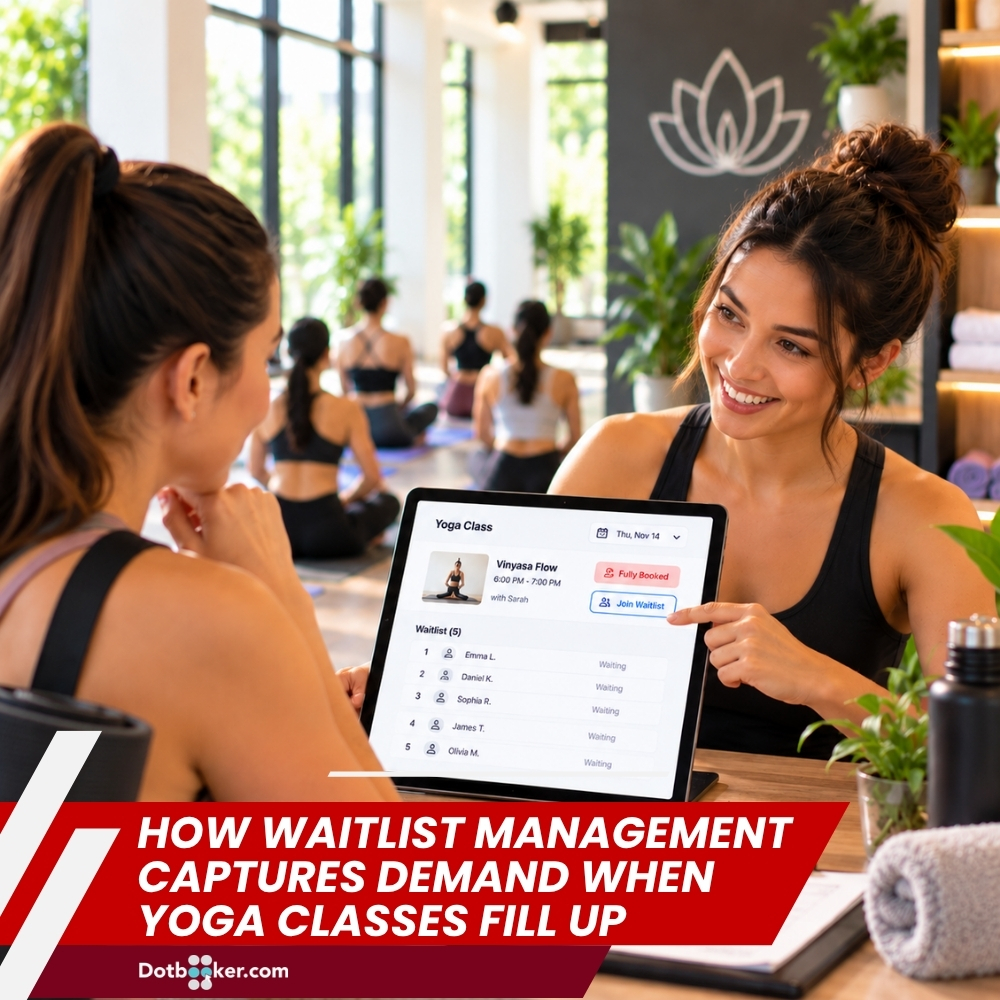
A yoga class reaching full capacity is usually a good sign. It means customers want that class. But what happens to the people who still want a spot after all spaces are taken?
They could leave the booking page and look elsewhere. Or they could join a waitlist and stay connected to the class.
For Cayman yoga, Pilates, cycling, dance and fitness businesses, waitlist management can turn a full class into another booking opportunity. It can also help owners and instructors understand which classes are attracting the most demand.
“Full” Is Useful Business Information
When a 6 PM yoga class fills several days before the session, that tells the studio something.
Customers want that particular time. If the same class fills repeatedly, the pattern becomes even more useful. The studio may discover that the instructor is popular, the timing suits customers, or the class format is attracting strong interest.
Without a waitlist, the business only knows that the class is full.
With waitlist management, it can also see how many customers still wanted to attend after capacity was reached.
Why Is a Waitlist More Than a Queue?
A waitlist does more than store customer names. It connects demand with availability. For example:
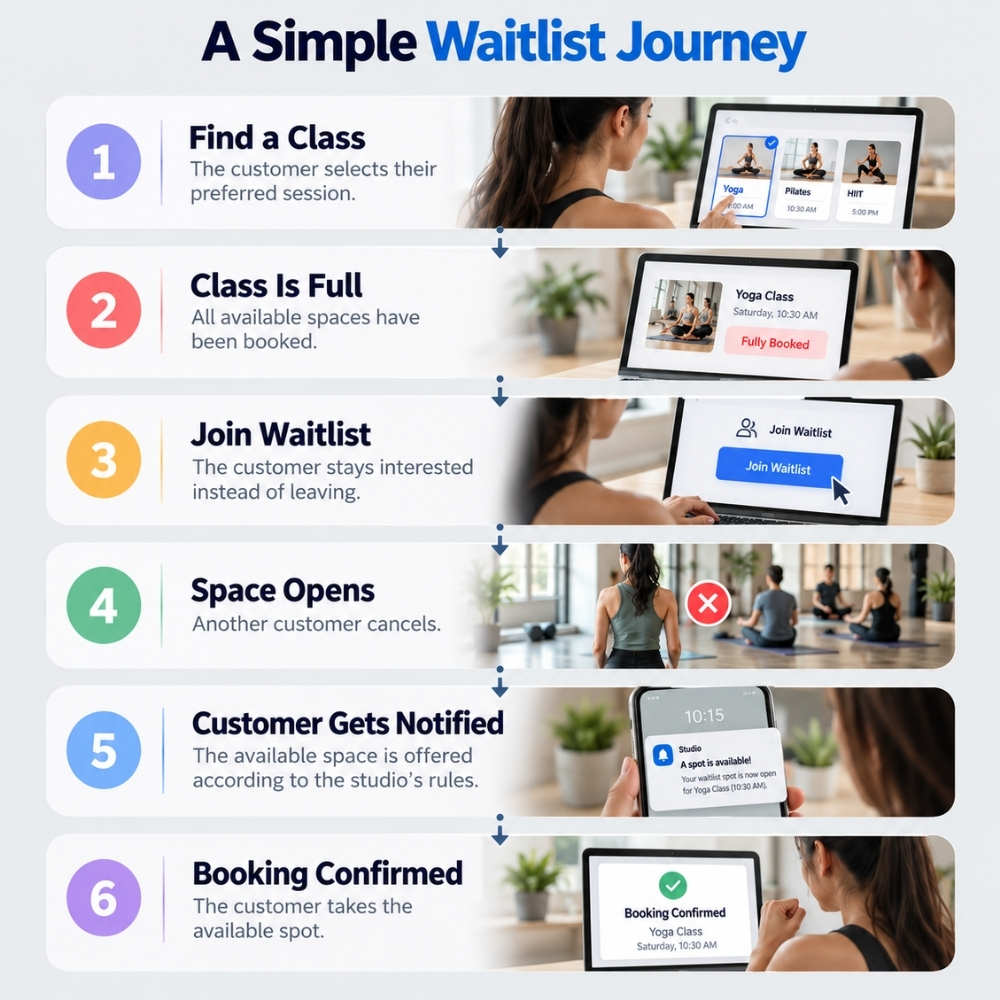
Class is full → Customer joins waitlist → Space opens → Customer is notified → Booking is confirmed
A class waitlist software solution can help organize this process without requiring staff to maintain a separate list or contact customers manually. It also gives the business useful information about demand that would otherwise disappear when the class reaches capacity.
What Do Customers Expect from a Good Waitlist?
Joining a waitlist should not feel like submitting a request and hoping someone will remember it.
Customers generally need a clear and simple process.
Easy Joining: If a class is full, the customer should be able to see that a waitlist is available and join it without having to call the studio. A fitness class booking system can place the waitlist within the normal booking journey. The customer checks the class, sees that it is full, and chooses the waitlist option.
Clear Position or Status: Customers may want to know whether they are waiting for a space or have moved into a confirmed booking. The exact information a business chooses to display can depend on its booking rules, but the important part is reducing uncertainty.
Timely Notification: When a space becomes available, customers should not have to repeatedly check the calendar. Notifications can alert the relevant customer that an opportunity has been opened.
Simple Confirmation: Once a customer receives an opening, confirming the booking should be straightforward.
This is where waitlist booking can become part of a smoother customer experience rather than another administrative task.
Turn Cancellations into New Booking Opportunities
Cancellations are normal for appointment-based businesses. The problem is the empty space they can leave behind. Imagine a 10-person yoga class that is fully booked. One customer cancels in the morning. Instead of ending the day with nine attendees, the studio can offer the space to someone already waiting. The process becomes:
Cancellation → Space Opens → Waitlist → Notification → New Booking
This is one of the clearest benefits of a managed waitlist booking. The business already knows who is interested. It does not have to start searching for another customer.
What Can Repeated Waitlists Tell the Business?
One waitlist may not mean much. A repeated pattern can. Suppose a Cayman Pilates studio sees that its Tuesday and Thursday evening classes regularly have customers waiting, while afternoon classes rarely fill.
The owner now has a useful question: Is there enough demand to adjust the schedule?
The business could review whether it should add another evening class, change capacity, review instructor availability or promote less busy sessions. This is where class scheduling software becomes useful beyond simply displaying a timetable.
The booking calendar and waitlist activity can help the business understand how customers are using the schedule.
How Does Waitlist Management Work with Class Scheduling?
A waitlist is most useful when it is connected to the class calendar. The calendar shows:
Available → Booked → Full → Waitlisted
When a customer joins a full class, the waitlist records their interest.
When someone cancels, the available space can trigger the next step according to the business's configured rules.
This means class scheduling software is not only about placing appointments on a calendar. It can also help businesses manage what happens when demand exceeds available capacity.
For Cayman fitness businesses, this can be useful during popular evening classes, weekend sessions, or periods when instructors attract higher demand.
How Can Class Scheduling Software Support Better Decisions?
A class scheduling software platform can help businesses manage more than the basic timetable. It can connect:
- Classes
- Instructors
- Availability
- Bookings
- Waitlists
- Notifications
- Customer information
When these elements are connected, owners can get a clearer picture of how the schedule is performing. It can connect calendar management, advanced booking, waitlists, notifications and reporting, giving fitness and wellness businesses tools to manage bookings and review activity.
What Should Businesses Review When Analyzing Their Waitlists?
Owners can periodically review a few simple questions:
- Which classes have the most waitlisted customers?
- How often do waitlisted customers get a space?
- Which time slots fill first?
- Are particular instructors consistently oversubscribed?
- Are there classes with high demand but limited capacity?
- Do cancellations regularly create opportunities for waitlisted customers?
These questions can help turn waitlist activity into useful scheduling information. The aim is not to make every class bigger. It is to understand where demand exists and decide whether the current schedule is meeting it.
Full Class Does Not Have to Mean Lost Demand
When a yoga class reaches capacity, the booking opportunity does not necessarily have to end.
A well-managed waitlist can capture customers who still want to attend, help businesses respond to cancellations, and provide useful information about demand.
For Cayman yoga studios, Pilates businesses, cycling studios, dance schools and fitness centers, waitlist management can turn "Fully Booked" into a continued customer opportunity.
Class waitlist software can help organize customers waiting for available spaces. A fitness class booking system can connect waitlists with the booking journey. Class scheduling software can help businesses manage calendars and identify recurring demand, while waitlist booking can provide customers with another path when their preferred class is full.
Dotbooker connects advanced booking, waitlist management, calendar tools, notifications and reporting to help service businesses manage full classes and change availability.