Why Every Service Business Needs Better Customer Profiles?
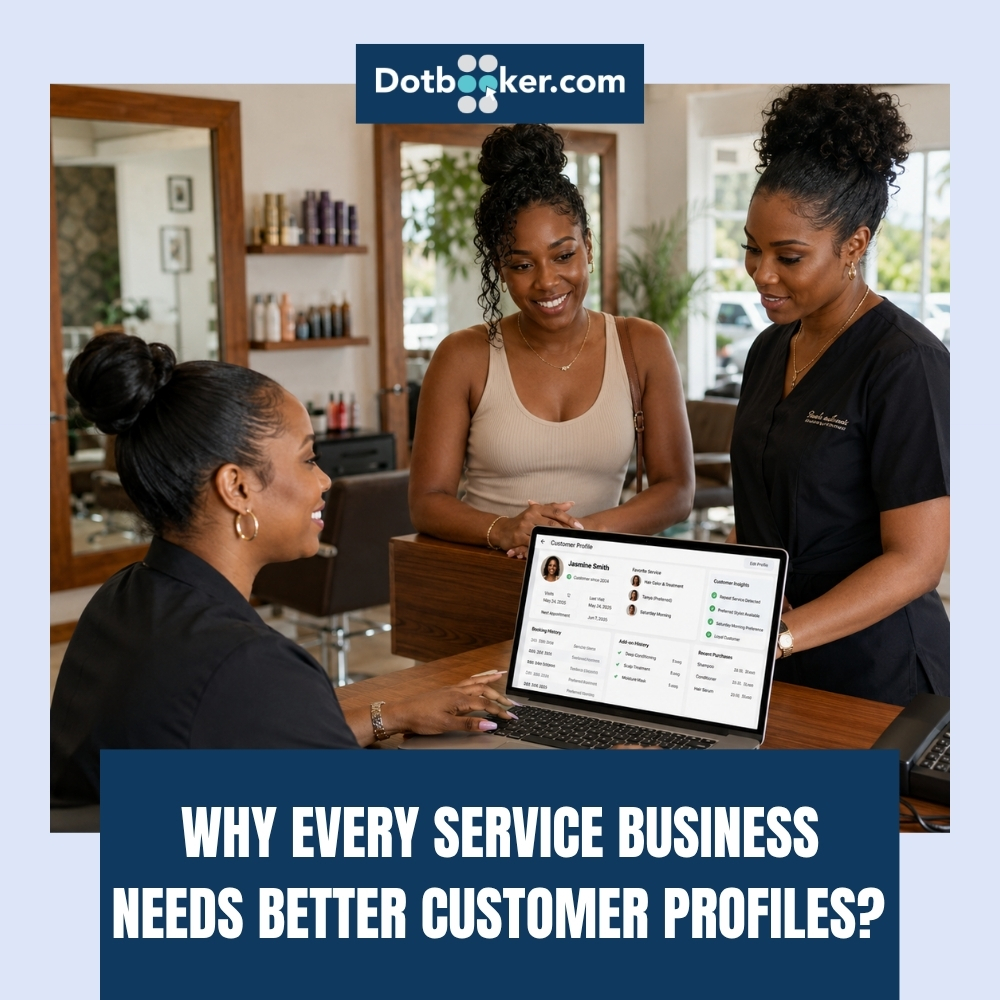
A customer walks into a Cayman salon for the third time.
They prefer Saturday morning appointments, usually book the same stylist, choose a particular hair treatment, and have already purchased the same add-on twice.
Now imagine the receptionist asks:
“Have you visited us before?”
That small question says something bigger. The business may recognize the customer's face, but its system does not really know the customer.
For service businesses, knowing customers should go beyond remembering a name and phone number. Every booking, service, purchase, preference, and interaction can gradually create a useful picture of what the customer actually wants.
This is where customer management software can help.
For Cayman salons, spas, gyms, wellness centers, tour operators, and other appointment-based businesses, better customer profiles can help teams deliver more relevant experiences while making repeat visits easier to manage.
Because customers should not have to introduce themselves to your business every time they return.
What Is a Customer Profile?
A customer profile is an organized collection of useful information about an individual customer and their relationship with a business.
Basic profiles usually start with:
Name
Phone number
Email address
Useful? Yes. Complete? Not really.
As customers continue interacting with a service business, their profiles can become richer. Depending on the business and the information it legitimately needs, a profile may include appointment history, services booked, preferences, purchases, memberships, notes, and communication information.
This is one reason client management software can become useful for a growing service business. Instead of customer knowledge living in an employee's memory, appointment diary, inbox, and different spreadsheets, relevant information can stay connected to the customer's record.
The result is not simply a bigger database. It is better context.
Customer Management Software Helps You Remember the Customer
Think about the difference between these two experiences.
Visit One
- “Which service would you like?”
- “Which stylist would you prefer?”
- “What time works for you?”
Perfectly normal questions for a new customer.
Visit Five
- “Would you like the same treatment you booked last time?”
- “Should I check Saturday morning with your preferred stylist?”
- “Would you like to add the service you chose during your previous visit?”
That feels different.
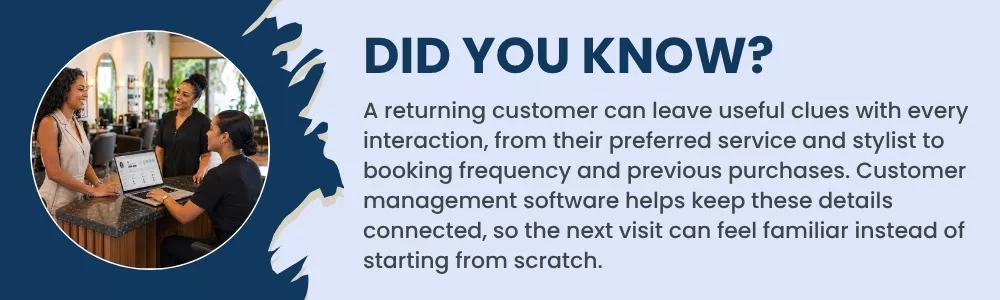
The business is not guessing. It is using previous customer interactions to make the next one easier. Customer management software helps create this continuity by keeping relevant customer information accessible to authorized employees.
For a Cayman service business where repeat customers can become an important part of long-term revenue, that continuity matters.
An Ideal Customer Profile Is More Than Contact Information
What should a useful customer record contain?
There is no single answer for every service business. A gym needs different information from a salon. A spa may track different service preferences from a tour company. Still, a useful customer database software setup may contain several categories.
1. Contact Information
This can include the customer's name, phone number, email address, and other information needed for the service relationship. It forms the starting point of the customer profile.
2. Appointment History
Appointment history can help employees understand the relationship without asking the customer to remember every previous visit.
- What did the customer book?
- When did they visit?
- How frequently do they return?
- Which services do they commonly choose?
3. Service Preferences
Suppose a regular salon customer consistently chooses the same stylist. Or a spa customer frequently books a particular type of treatment. These patterns can make future recommendations more relevant. With client management software, staff can have better context when helping returning customers.
4. Purchase History
Customers may purchase services, packages, memberships, add-ons, or other items depending on the business.
Purchase history can help businesses understand what customers have previously chosen rather than promoting something completely unrelated.
5. Membership or Package Information
For gyms, wellness centers, salons, and other businesses offering packages or memberships, the customer profile may also need to reflect current plans, usage, or other relevant account information.
6. Customer Notes
Some service businesses may need to maintain appropriate notes that help employees deliver the agreed service consistently. These should be relevant, factual, appropriately accessible, and handled according to the business's privacy and data practices. A better profile is not about collecting everything possible.
It is about keeping information that has a legitimate purpose in serving the customer.
Better Customer Profiles Can Make Recommendations Feel More Human
Personalization can easily become annoying when it is based on assumptions. Good personalization feels different.
It says: “You booked this before. Would you like it again?”
Rather than: “We think you might like this because people like you buy it.”
For service businesses, the customer's own history can be one of the most practical places to start. A CRM for small business can help organize previous interactions so recommendations have some context behind them.
Previous Service → Relevant Recommendation
A client regularly books a particular treatment. Offer related availability or an appropriate add-on.
Previous Stylist → Easier Rebooking
A customer repeatedly chooses the same stylist. Show or suggest that stylist's available times first when appropriate.
Previous Package → Relevant Renewal Conversation
A customer has previously purchased a package. Staff can see that history when discussing future options. This type of personalization does not need to feel complicated. It starts with remembering what the customer has already told you through their interactions with the business.
Store Customer Data Safely, Not Everywhere
Better customer profiles also create responsibility. Customer information should not be scattered across personal phones, paper notes, separate spreadsheets, messaging apps, and individual employee accounts.
The more places information exists, the harder it can become to control who has access to it. A centralized customer database software system can give a business a clearer place to maintain relevant customer records.
Businesses should still decide what information they genuinely need, who should have access, how long it should be retained, and how it should be protected.
Give Access Based on Need
Not every employee needs access to every piece of customer information. A good CRM for small businesses should support sensible access practices based on employees' responsibilities.
The aim should be simple: The right information is available to the right people for the right business purpose.
For Cayman businesses, customer information should also be handled in line with applicable privacy requirements and the company's own data-handling policies.
CRM for Small Business Is Not Only About Sales Leads
When people hear CRM, they often imagine large sales teams tracking prospects. For appointment-based businesses, the idea can be much more practical. A CRM for small business can help organize relationships with people who already visit the business. That can include understanding:
- What they booked
- When they visited
- What they purchased
- How often they return
- Which services they prefer
- Which relevant communication has taken place
For a salon or spa, that information can support rebooking. For a gym, it can support member engagement. For other Cayman service businesses, it can help employees recognize returning customers and continue the relationship rather than starting from zero.
Client Management Software Can Help When Staff Change
There is another reason customer profiles matter.
Your business should know its customers even when a particular employee is away.
Imagine a receptionist who remembers dozens of regular clients leaves the company.
If those preferences only existed in that employee's memory, valuable customer context leaves too.
Client management software helps keep relevant customer knowledge connected to the business rather than a single person.
The next employee can understand previous bookings and relevant customer history without pretending they already know the customer.
That continuity becomes increasingly useful as a Cayman business grows its team.
What Should You Look for in Customer Management Software?
When evaluating a system, do not only ask: “Can it save customer names?”
That is the minimum. Ask whether the customer management software can help your team maintain useful customer profiles across the actual service journey. Look for capabilities connected with:
- Customer Profiles: Keep relevant customer information organized.
- Booking History: Understand previous and upcoming appointments.
- Service History: See what the customer has previously booked.
- Purchase Information: Maintain useful transaction context where supported.
- Preferences: Keep relevant information that helps future service.
- Rebooking: Make the next appointment easier to arrange.
- Access Controls: Help ensure information is available to appropriate employees.
- Reports: Understand customer and booking patterns beyond individual profiles.
The right setup depends on how your business operates.
Make Every Return Visit Feel Like Go to Place
A first-time customer may expect your business to ask questions. A loyal customer visiting for the tenth time expects something different. They expect recognition.
Not necessarily by name the second they walk through the door, but through an experience that shows the business has some continuity.
That is what better customer profiles can support. Customer database software keeps relevant information organized. Client management software helps teams follow customer relationships across visits. A CRM for small business can give growing businesses a clearer way to understand customer activity, preferences, and history.
And customer management software can bring that information closer to the booking and service experience where employees can actually make use of it.
Know More Than the Customer's With Custom Management Software
Your Cayman service business may already have hundreds or thousands of customer records.
The bigger question is: How much do those records actually tell you?
Dotbooker helps service businesses keep customer information connected with bookings, service activity, preferences, and customer history so teams can have better context when customers return.
Instead of treating every booking like the beginning of a new relationship, your team can continue from where the previous visit ended.
Because a useful customer profile should not simply tell you who booked. It should help you understand who came back, what they value, and how you can make their next visit easier.
Frequently Asked Questions
1. What information should a customer profile include?
A useful customer profile can include contact details, booking history, service history, purchases, preferences, memberships, and relevant customer notes. Businesses should collect only information that serves a legitimate business purpose.
2. How can customer management software help with customer retention?
Customer management software gives teams access to previous bookings, preferences, and customer activity. This can make rebooking easier and help businesses provide more relevant services when customers return.
3. Is CRM for small businesses useful for salons, spas, and gyms?
Yes. A CRM for small businesses is not limited to sales teams. Salons, spas, gyms, wellness centers, and other service businesses can use customer information to understand repeat visits, booking patterns, preferences, and service history.
4. How should businesses protect information stored in customer database software?
Businesses should control who can access customer information, collect only necessary data, maintain appropriate security practices, and follow applicable privacy and data protection requirements. Customer database software should provide a centralized place for authorized teams to manage customer records.