
How Does Appointment Scheduling Software Help When Weather Disrupts the Day?
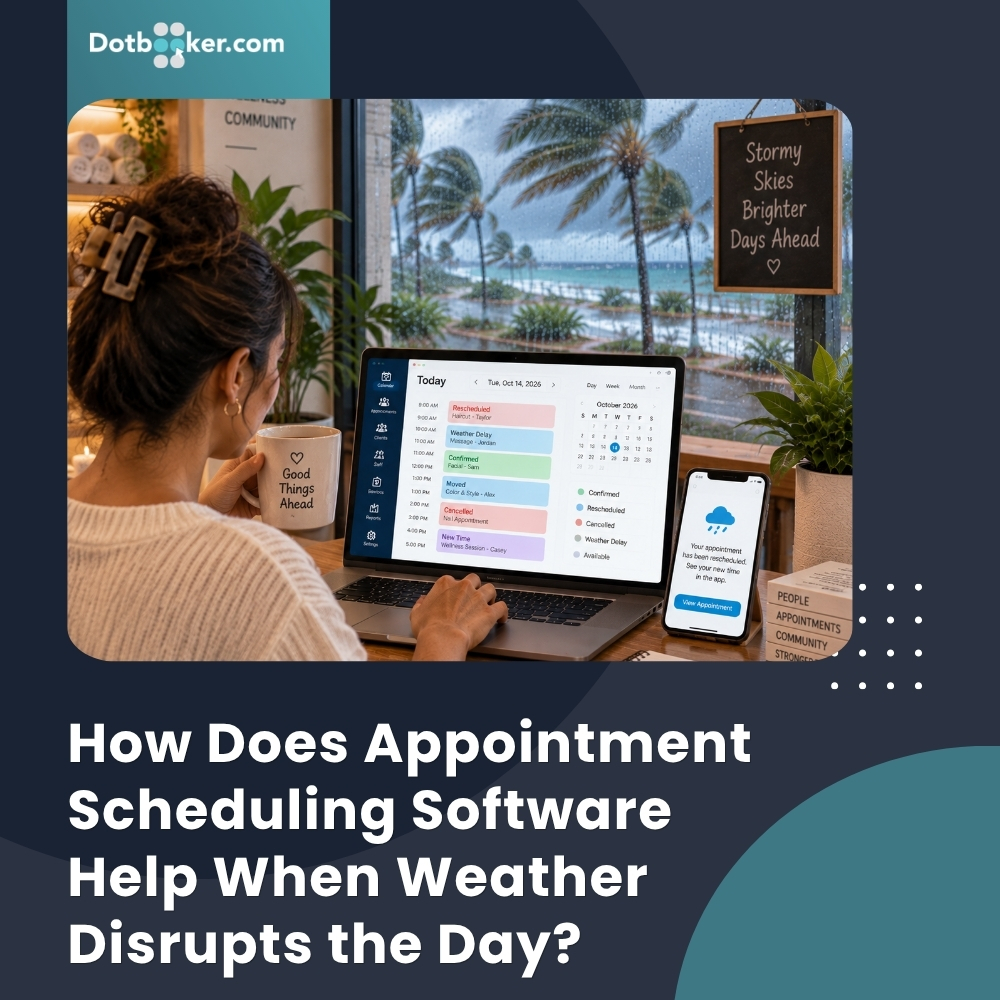
The day is fully booked. Staff schedules are set. Customers know when to arrive.
Then the weather changes.
Heavy rain slows traffic across Grand Cayman. Localized flooding makes a normal journey take longer. A staff member cannot reach the business on time. A customer calls to say they will be late. Another asks to move their appointment. If conditions worsen, the business may even need to shorten its hours.
Even a short weather disruption can affect an appointment-led business.
For Cayman salons, spas, fitness studios, therapists, pet groomers and other service businesses, even a few hours of difficult weather can affect an entire day's schedule.
The business cannot control the rain, but it can control how quickly the schedule responds to it.
This is where appointment scheduling software becomes particularly useful. Instead of relying on a paper diary, separate messages and repeated phone calls, businesses can manage bookings through a connected calendar.
Features such as a centralized calendar, rescheduling, staff availability, customer notifications, and mobile access can help businesses respond when the original plan for the day stops working.
So, what actually happens to appointments when the weather changes, and how can businesses manage it better?
How Can a Few Hours of Bad Weather Affect the Entire Appointment Calendar?
Weather disruption rarely affects only one appointment. Imagine a Cayman salon has appointments scheduled from 9:00 AM onward.
At 8:30 AM, heavy rain begins. One stylist is delayed. The first client says they will arrive 20 minutes late. Another client wants to move on to a midday appointment because the roads near them are difficult to navigate.
Now the salon has decisions to make.
- Should the first appointment start late?
- Will that push the next booking back?
- Can the midday customer move in the afternoon?
- Is another stylist available?
- Should a newly opened time become available to someone else?
This is where the calendar can quickly become complicated.
The same situation can happen in a spa, physiotherapy clinic, fitness studio, or pet grooming business. A weather delay that begins with one person can affect staff availability, service durations and several customers later in the day.
Appointment management software gives the team one place to see those changes rather than trying to reconstruct the day's schedule from calls and messages.
Why Does Manual Rescheduling Become Difficult So Quickly?
Moving one appointment manually may be simple, but moving ten is different.
Suppose a business decides to open two hours later because conditions are poor. Every booking during those two hours now needs attention. Staff may have to determine:
- Who was booked?
- Which appointments can be made later?
- Which appointment requires a particular employee or skill?
- Which customers would rather choose another day?
- Which new times are actually available?
Then someone needs to contact those customers and update the schedule.
If bookings are being managed through a combination of a diary, phone calls, WhatsApp messages and employee conversations, manual booking changes can create fragmented information and repetitive administrative work.
One employee might move a customer without realizing another employee has already promised the same time to someone else.
An online booking system can make the process more manageable by keeping updated booking information in one place.
The objective is not to remove human decision-making. It is to give employees a clearer schedule while they make them.
How Does Appointment Scheduling Software Help When Plans Suddenly Change?
The biggest advantage is visibility.
When weather affects the day, the team needs to understand what the calendar looks like now, not what it looked like at opening time.
With appointment scheduling software, employees can review appointments, staff schedules, and available time as changes occur.
For example:
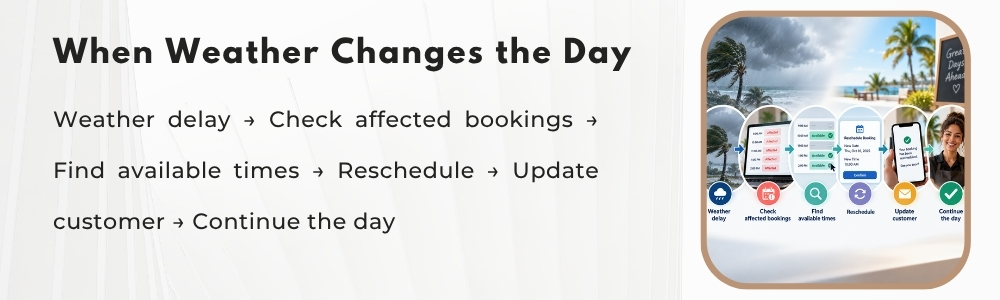
10:00 AM appointment affected by weather → Customer requests later time → Team checks updated availability → Suitable opening selected → Appointment moved → Calendar reflects the change
That is much easier to manage than changing a booking in one place and then trying to remember which other records need to be updated.
Dynamic Calendar is designed to manage bookings, staff availability, resources and time slots from a centralized calendar, while Basic Schedule Management supports creating, editing and rescheduling appointments.
For a Cayman service business, this can become especially valuable on a day when several customers need changes at once.
Can Customers Reschedule Instead of Simply Cancelling?
This is an important distinction. A customer who cannot safely or conveniently reach the business at 11:00 AM may still want the service.
They may not be able to attend at the original time, but they may still want the service.
Good appointment rescheduling gives the business an opportunity to preserve that customer's booking by finding another suitable time rather than treating the disruption as an immediate loss. For example, a customer might move:
Tuesday at 11:00 AM → Tuesday at 4:00 PM
OR
Tuesday at 11:00 AM → Thursday at 2:00 PM
The best option depends on staff availability, service duration, and the customer's preference. With appointment management software, the team can check available times before confirming the change.
This also matters from the customer's perspective. When the weather is already making their day difficult, a complicated rescheduling process adds to another inconvenience.
The easier it is to find another suitable appointment, the easier it is to keep the customer journey moving.
What Happens to the Slot the Customer Leaves Behind?
This is where weather disruption creates an interesting scheduling question. A customer moves their 3:00 PM appointment to Friday.
Now 3:00 PM is available. If conditions improve later in the day, could another customer use it?
Possibly. An online booking system can help businesses make suitable newly available times visible again when booking rules allow. That can be particularly useful for businesses that accept same-day or last-minute appointments.
This means appointment rescheduling does not necessarily create permanent empty time.
A changed booking can create new availability for another customer provided the business keeps its calendar current.
For Cayman service businesses, this flexibility can be useful because weather conditions may improve just as quickly as they disrupt the earlier part of the day.
How Do You Keep Customers Informed When the Schedule Changes?
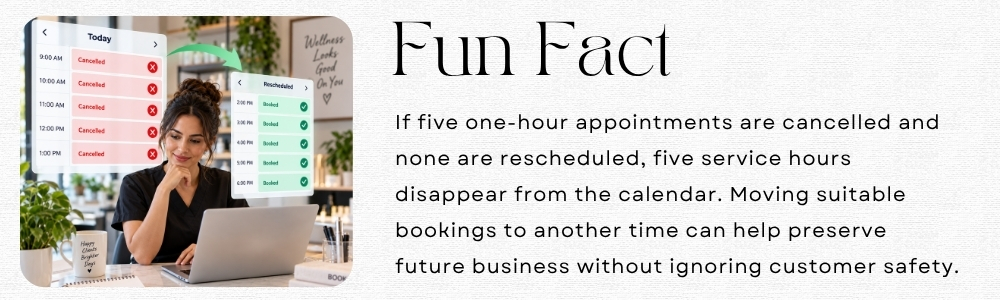
A customer should not have to arrive at a closed business to discover that the day's schedule has changed. Communication has become one of the most important parts of weather management.
If opening is delayed, an employee is unavailable or an appointment needs to move, customers need clear information. An online appointment scheduling process works best when communication is connected to the booking itself. Depending on the change, customers may need:
- Appointment confirmation
- Updated appointment time
- Cancellation information
- Reminder for the rescheduled appointment
- Notification of a schedule change
Automated confirmations, reminders, and schedule updates can help ensure that customers receive the revised appointment information recorded in the system. It also gives staff more time to focus on customers who need individual help rather than manually repeating routine booking information.
What About Staff Who Are Delayed by the Weather?
Customers are not the only people affected.
- A therapist may live farther from the business.
- An instructor may encounter flooding or traffic delays.
- A stylist may be unable to work their complete shift.
This means weather preparation needs to connect bookings with staff availability. Suppose a massage therapist normally begins at 9:00 AM but cannot arrive until 11:00 AM.
The business needs to know which appointments are affected, whether another suitable therapist is available, and which bookings need appointment rescheduling.
This is where appointment management software and staff scheduling can work together. Rather than treating staff schedules and customer bookings as separate problems, the business can look at how one change affects the other.
That is particularly important for services that require a specific skill or employee.
Should Businesses Allow Last-Minute Bookings on Weather-Affected Days?
Sometimes, but not automatically. After conditions improve, a Cayman Spa or salon may suddenly have several open times. Making those appointments available could help recover some of the day's usable capacity. But the business still needs to consider:
- Is the required employee available?
- Is there enough preparation time?
- Can the customer realistically arrive before the service?
- Does the service require a room or other resources?
This is where appointment scheduling software should support the business's booking rules rather than simply showing every empty space available. A last-minute opening is useful only when the business can genuinely deliver the service.
How Can Cayman Service Businesses Prepare Before the Weather Changes?
The best time to decide how to manage a disrupted day is not while the front desk is handling ten affected customers. Preparation can be simple.
First, make sure employee schedules are current. If the team cannot trust the staff calendar on a normal day, it will be even harder to use during a disruption.
Second, review how appointment rescheduling works. Employees should know how to move a booking without accidentally creating a conflict.
Third, test customer communication. Make sure the contact details in client records are current and that the team understands how booking updates are communicated.
Fourth, review mobile access. If managers or employees need to view the schedule away from the business, access to current appointment information through Mobile App, can become valuable during unexpected closures or delays.
Finally, check your booking rules. Your scheduling software should reflect when customers can make or change appointments, including whether last-minute availability can be offered.
A scheduling system for small business is most useful when the processes around it have already been thought through.
How Can Businesses Stay Ready When Weather Changes the Schedule?
It helps businesses turn disruption into manageable schedule changes.
- A customer who cannot arrive can be moved.
- A staff delay can be reflected in availability.
- A cancelled appointment can be reopened at a time.
- A newly available slot can potentially be booked later.
Updated information can be communicated to customers and employees. And appointment calendar software can give the team a clearer view of the revised day.
That is the practical value of appointment scheduling software during unpredictable weather it does not control what happens outside the business. It helps the business respond to what happens next.
Weather disruptions do not always arrive as major emergencies. Sometimes it is simply heavy rain at the wrong time, a flooded road, a delayed employee or several customers deciding they cannot comfortably make their appointments.
For an appointment-led Cayman business, even those smaller disruptions can quickly affect the rest of the day.
The answer is not to create a perfect weather plan for every possible situation.
It is to make the schedule easier to change. With appointment scheduling software, an online booking system, connected staff availability and clear customer communication, businesses can respond faster when the original calendar no longer works.
Online appointment scheduling can also help customers access newly available times as conditions improve, while an appointment calendar software view helps the team understand the revised day.
Dotbooker brings together dynamic calendar management, scheduling, booking changes, staff availability and customer information to help service businesses stay organized when plans shift unexpectedly.