How an Integrated POS System Improves Sales, Inventory, and Customer Experience
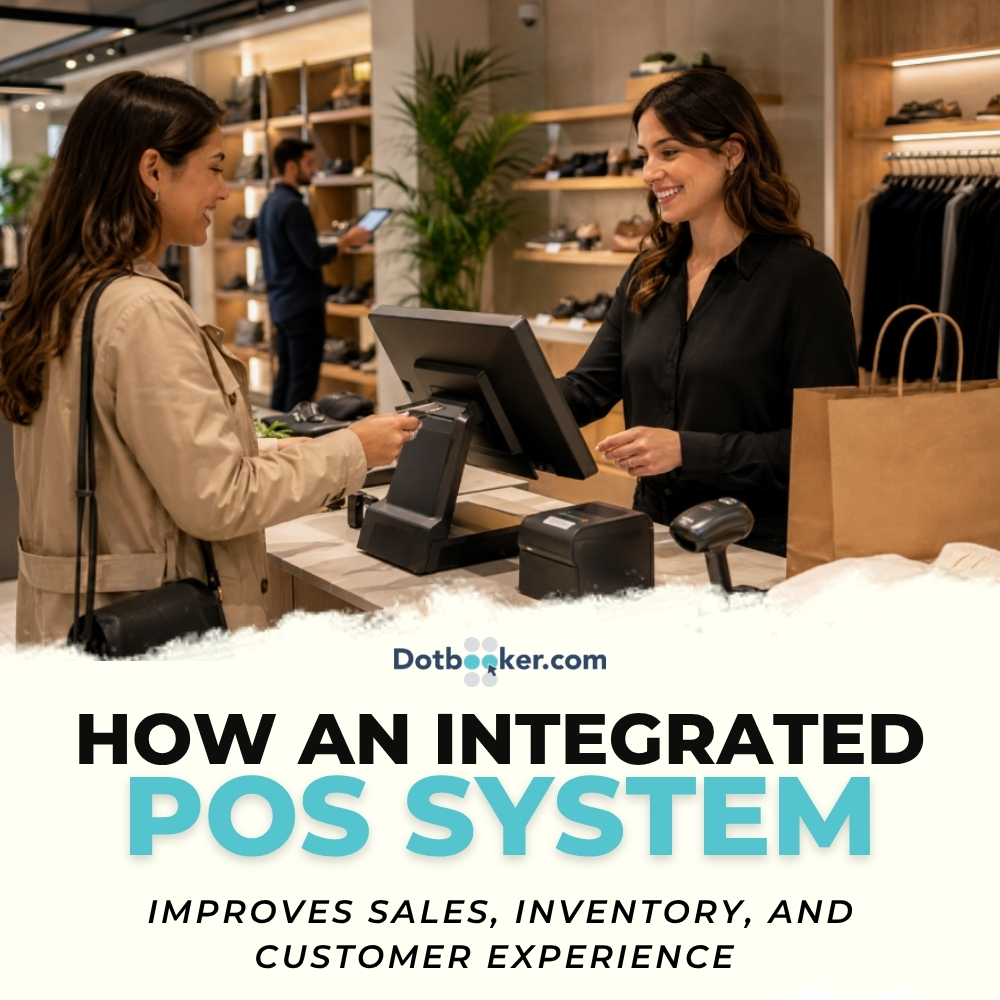
A customer walks into your store, finds a product they like, asks whether another size is available, checks if a discount applies, pays by card, and expects the receipt instantly. From their side, it feels like a simple shopping moment.
Behind the counter, that one moment touches almost every part of your business.
The sale must be recorded. The payment must be processed. The stock must be reduced. The discount must be correct. The customer profile may need to be updated. The report must reflect the right numbers. If you sell online as well, the same product availability should be updated there too.
This is why retail is no longer just about having good products on shelves. It is about how well your sales, inventory, payments, staff, and customer data work together.
An Integrated POS System brings all these moving parts into one connected flow. It helps businesses sell faster, track stock more accurately, understand customer behavior, and make better decisions without depending on scattered spreadsheets or disconnected tools.
For retailers, salons, spas, wellness studios, gyms, boutiques, service counters, and multi-location businesses in the Cayman Islands, US, and Canada, this can make a major difference in how customers experience the brand and how owners control daily operations.
Integrated POS System Beyond Simple Billing
There was a time when a POS system was mainly used to print bills and collect payments. That is no longer enough.
Today, the checkout counter is where customer experience, stock accuracy, staff performance, payment records, and business reporting meet. Every transaction tells a story. It shows what people are buying, when they are buying, which products are moving, which offers are working, and which customers are coming back.
The problem begins when these details are stored in different places.
One tool handles billing. Another tracks stock. Customer details sit in a notebook or spreadsheet. Payment reports come from a separate terminal. Online sales are managed elsewhere. At the end of the day, someone has to bring everything together manually.
That is where errors start.
A connected system changes the entire flow. When a sale happens, the stock updates. When a customer pays, the payment record is linked to the bill. When a product sells frequently, the report shows it. When inventory reaches a low level, the team can take action before the shelf goes empty.
This is the real value of an integrated pos system. It does not just complete a sale. It gives the business a clearer way to run each day.
What Is an Integrated POS System?
An integrated pos system is a point-of-sale setup that connects billing, inventory, payments, customer records, discounts, reports, staff access, and sometimes online sales into one working system.
Instead of treating each business function separately, it connects them.
For example, when a customer buys a product:
- The bill is created
- The payment is recorded
- The product quantity is reduced
- The customer history is updated
- The sales report reflects the transaction
- The inventory report changes immediately
- The staff activity is recorded
- The business owner can view the result in reports
This removes the need to update multiple systems manually after every sale.
For a small store, this means fewer daily mistakes. For a growing retail business, it means better control. For a multi-location operation, it means owners can see what is happening across branches without calling each store for updates.
Disconnected Retail POS Software Hurts Sales
Most retail problems do not appear at all at once. They show up as small daily issues.
A customer asks for a product that the system says is available, but staff cannot find it. A cashier applies the wrong discount. A manager orders too much of a slow-moving item. A fast-selling product runs out before anyone notices it. End-of-day reports do not match payment records. A loyal customer receives no special recognition because their purchase history is not stored properly.
Individually, these issues may seem manageable. Together, they reduce sales, waste time, and weaken customer trust.
The Cost of “We’ll Update It Later”
Many businesses still rely on delayed updates. Staff make sales during the day and update stock later. Managers review sales at the end of the week. Customer details are collected but not used properly. Purchase decisions are made from memory.
This creates a gap between what the business thinks is happening and what is actually happening.
Retail POS software helps close that gap by keeping transactions, products, stock, and customer activity connected in real time.
When the system is updated at the point of sale, the business no longer has to chase yesterday’s numbers.
Integrated POS System Improves Retail Sales
Sales growth is not only about attracting more customers. It is also about converting more visits into purchases, avoiding missed opportunities, improving staff confidence, and understanding what customers want.
A strong POS setup helps with all of these.
Faster Checkout Keeps Customers Moving
Customers may love your products, but they will not enjoy waiting in a slow billing line.
Long queues, price confusion, barcode issues, discount errors, and payment delays can make even a good shopping experience feel frustrating. In busy retail environments, speed matters.
An integrated pos system helps staff complete billing faster because product details, pricing, tax rules, discounts, and payment options are already connected. The cashier does not need to check multiple places before completing the transaction.
This is useful for:
- Boutiques during seasonal rush
- Grocery and convenience stores
- Salons and spas selling retail products
- Fitness studios selling merchandise or supplements
- Gift shops and tourist-focused stores
- Pharmacies and wellness retailers
A faster checkout experience does more than save time. It makes the business feel organized, professional, and easier to buy from.
Better Product Suggestions at the Right Moment
A good salesperson knows how to suggest the right product without making the customer uncomfortable. The challenge is that staff cannot remember every customer’s buy history or every possible product combination.
Retail POS software can support better suggestions by giving staff access to product categories, related items, and customer purchase history.
For example:
- A customer buying shampoo may also need conditioner or styling cream
- A customer buying yoga gear may need a mat cleaner or water bottle
- A customer buying skincare may need sunscreen or a night cream
- A customer buying pet food may need treats or grooming products
- A customer buying fitness supplements may need a shaker or protein snack
This is not about pushing extra items. It is about helping customers find what fits their purchase. When suggestions are relevant, customers feel guided rather than sold to.
Smarter Discounts Without Damaging Profit
Discounts can bring sales, but careless discounts can reduce profit quickly.
Many businesses run promotions because stock is not moving or because competitors are offering deals. The problem is that not every discount improves business performance. Some offers only reduce margins without bringing repeat customers.
A connected POS system gives better visibility into which discounts work.
You can see:
- Which products sell well without discounts
- Which items need seasonal offers
- Which bundles increase average order value
- Which customers respond to loyalty rewards
- Which promotions bring repeat visits
- Which discounts reduce profit without enough sales volume
This helps business owners create offers with a clear purpose instead of guessing.
Real Sales Reports That Show More Than Revenue
Revenue is only one part of the story.
A product may bring high sales but low profit. Another product may sell less often but have a strong margin. A staff member may handle fewer transactions but sell more add-ons. A certain category may perform better during weekends. A location may look busy but still carry too much slow-moving stock.
Sales reports help uncover these details. With the right reporting, retailers can track:
- Best-selling products
- Slow-moving items
- Revenue by category
- Sales by staff member
- Sales by location
- Average transaction value
- Discount performance
- Payment method usage
- Peak sales hours
- Customer repeat purchase behavior
This helps businesses make decisions based on what customers are actually doing, not what the team assumes.
Inventory Management Software Controls Stock Better
Inventory is one of the most difficult parts of running a retail business. Too little stock means missed sales. Too much stock means blocked cash. Wrong stock means wasted shelf space.
Inventory management software helps businesses find a better balance.
Real-Time Stock Visibility Reduces Confusion
Stock confusion creates awkward customer experiences. A staff member tells a customer that a product is available, but it is not on the shelf. The online store shows an item in stock, but the physical store already sold it. A manager thinks there are ten units left, but three were damaged and two were sold earlier in the day.
These situations happen when stock updates are delayed or handled manually.
With inventory management software connected to POS, stock changes as soon as a sale is made. This gives staff a clearer view of what is available. For multi-location businesses, this is even more helpful. If one branch does not have the product, the team can check another location and guide the customer properly.
Low-Stock Alerts Help Prevent Missed Sales
Running out of popular products is one of the easiest ways to lose revenue.
Customers may not complain every time an item is unavailable. They may simply buy from somewhere else. If this happens repeatedly, the business loses both the sale and the habit of repeating visits.
Inventory management software can help by setting reorder levels for products. When stock reaches a minimum quantity, the system can alert the team.
This is useful for:
- Fast-moving grocery items
- Salon retail products
- Fitness supplements
- Skincare products
- Pet care items
- Boutique bestsellers
- Health and wellness products
Instead of noticing the empty shelf too late, the business gets an early signal.
Overstock Becomes Easier to Identify
Too much stock can be just as damaging as too little stock.
Products that sit too long take up space, tie up money, and often need heavy discounts later. In some industries, products may expire, go out of season, or lose appeal.
With connected inventory reports, retailers can identify slow-moving items earlier. They can see:
- Products with low sales movement
- Items sitting too long in stock
- Variants that do not sell
- Categories taking too much shelf space
- Products that need bundling or promotion
- Stock that should not be reordered
This helps owners avoid buying based on habits and start buying based on actual movement.
Better Purchase Planning for Seasonal Demand
Retail demand is rarely the same throughout the year.
A store in a tourist-heavy area may see demand rise during travel seasons.
A boutique may sell more during holidays. A wellness business may sell more retail products during membership campaigns. A salon may need more haircare stock before wedding season or festive periods.
Inventory management software helps businesses review past sales and plan future purchasing more carefully.
Instead of asking, “What do we think we need?” the business can ask, “What did customers actually buy during this period last year, last month, or last campaign?”
That difference can save money and improve availability.
Retail POS Software Improves Customer Experience
Customer experience is not only about friendly staff or attractive store design. It is also about accuracy, speed, convenience, and recognition.
Retail POS software improves these small but important moments.
Customers Get Faster Answers
When a customer asks, “Do you have this in another size?” or “Is this available at your other branch?” staff should not need to guess.
A connected POS gives staff access to product details, stock levels, pricing, and availability. This helps them answer quickly and confidently.
That confidence matters. Customers trust businesses that know their own stock.
Purchase History Makes Service More Personal
Repeat customers do not want to feel like strangers every time they visit.
When customer profiles are connected to sales history, staff can provide better service. They can check previous purchases, preferred products, loyalty points, and buying patterns.
For example:
- A salon can recommend the same aftercare product a client bought earlier
- A boutique can check a returning customer’s preferred size
- A wellness store can see which products a customer buys regularly
- A pet store can track recurring purchases like food or grooming items
- A fitness studio can recommend merchandise based on membership activity
This type of service feels thoughtful when handled with care.
Loyalty Programs Become Easier to Manage
A loyalty program should be simple for both the customer and the staff. If rewards are difficult to track, customers will lose interest. If staff have to calculate points manually, errors will happen. If customers do not know what they have earned, the program becomes forgettable.
Retail POS software can track loyalty points, rewards, referrals, and customer purchase history automatically.
This allows businesses to offer:
- Points on purchases
- Birthday rewards
- Member-only offers
- Referral rewards
- Store credit
- Repeat purchase offers
- Tier-based benefits
A connected loyalty program gives customers a reason to return without making the process complicated.
Returns and Exchanges Feel More Professional
Returns and exchanges can either protect customer trust or damage it.
If staff cannot find the original transaction, confirm the purchase date, or check the payment method, the customer may feel frustrated. A connected POS keeps transaction history available, making returns easier to verify.
This helps staff process returns with more control and less confusion.
It also helps the business track patterns, reduce misuse, and maintain accurate inventory after returned items are added back to stock.
POS System Links Staff and Sales
A POS system also helps owners understand how the team is performing.
This does not mean watching the staff in an uncomfortable way. It means having clean visibility into daily operations.
Staff Activity Becomes Easier to Track
When each staff member has their own POS login, the business can see who handled each transaction, refund, discount, or stock adjustment.
This helps managers understand:
- Who is completing the most sales
- Who needs training
- Who applies frequent discounts
- Who handles returns
- Who sells more add-on products
- Who performs well during busy hours
This gives managers better direction for coaching and scheduling.
Access Control Protects the Business
Not every staff member should have permission to edit prices, approve refunds, view profit margins, or change stock quantities. A good POS system allows role-based access, so each person sees and uses only what they need.
This reduces mistakes and protects sensitive business information.
Connected POS Data Supports Multi-Location Growth
Managing one location is challenging. Managing multiple locations without connected data is much harder.
Each branch may have different stock needs, customer behavior, sales volume, staff performance, and product demand. If every location operates separately, the owner gets a broken view of the business.
An integrated pos system helps multi-location businesses see everything in one place.
Stock Can Be Moved Where It Is Needed
One store may be overstocked while another store is running out of the same product. Without shared visibility, the business may reorder unnecessarily instead of transferring stock.
Connected inventory data helps businesses see where products are available and where they are needed.
This improves stock usage and reduces unnecessary purchases.
Branch Performance Becomes Clearer
Owners can compare:
- Sales by location
- Best-selling products by branch
- Staff performance by store
- Stock movement by location
- Payment trends
- Customer purchase patterns
- Peak hours
This helps each branch operate in a better direction instead of using the same strategy everywhere.
POS System for Service-Based Retail Sales
POS is not only for traditional retail stores.
Many service-based businesses also sell retail products. Salons sell haircare items. Spas sell skincare products. Gyms sell supplements and merchandise. Yoga studios sell mats and accessories. Pet grooming businesses sell pet care products.
For these businesses, retail sales are connected to the service experience.
Product Sales Should Feel Like Part of the Customer Journey
When a customer finishes a service, they are often open to product recommendations. A client leaving a spa may want the product used during their treatment. A salon client may want to maintain their results at home. A gym member may need supplements or workout accessories.
A POS connected with customer records helps staff make better recommendations.
Instead of saying, “Would you like to buy something?” staff can say something more relevant, such as, “The product used today is available at the counter, and it suits the treatment you selected.”
That feels more helpful and more natural.
Retailers looking to modernize their checkout experience can benefit by moving from traditional cash systems to an integrated POS and booking solution, which streamlines sales, inventory, and customer interactions.
Integrated POS System Connects Online Sales
Customers no longer think about separate channels. They may discover a product online, visit the store to buy it, message the business to check availability, or purchase online, and pick it up in person.
The business needs to keep up with that behavior.
Online and Offline Stock Should Match
Few things frustrate customers more than seeing a product online and then learning it is unavailable after placing an order or visiting the store.
When online sales and in-store stock are connected, inventory becomes more accurate across channels.
This supports:
- Online ordering
- In-store pickup
- Product reservations
- Local delivery
- Store-based fulfillment
- Cross-location stock visibility
For growing retail businesses, this connection is becoming more important every year.
Customer Records Stay Connected
If a customer buys online today and visits the store next week, the business should be able to recognize that history.
A connected system keeps customer purchases together, whether the sale happened online or in-store. This helps with loyalty, returns, product suggestions, and customer care.
Retail POS Software Features to Consider
Choosing retail POS software should not be based only on feature lists. The right system should match the way your business actually works.
Sales and Billing Features
The POS should support quick billing, barcode scanning, product search, discounts, returns, exchanges, tax settings, and multiple payment methods.
For retail teams, the billing screen should be easy to use because staff will depend on it every day.
Inventory Features
The system should include product categories, SKU tracking, barcode support, stock adjustments, reorder alerts, supplier records, purchase tracking, and stock reports.
Good inventory management software should make stock control easier, not adding more manual work.
Customer Management Features
Look for customer profiles, purchase history, loyalty points, contact details, reward tracking, and customer groups. These features help turn one-time buyers into repeat customers.
Reporting Features
Reports should help answer practical questions. Which products sell the most? Which categories perform best? Which staff members need support? Which discounts worked? Which items are not moving? Which location needs to stock? If reports are hard to understand, the data will not be used properly.
Multi-Location Features
For businesses with more than one branch, the POS should support location-wise stock, transfers, staff access, branch reports, and centralized product management.
This helps owners control the business without depending on manual updates from each location.
Payment Features
The POS should support different payment methods such as cash, card, wallet payments, gift cards, split payments, refunds, and payment reconciliation where needed.
A smoother payment process improves both customer experience and end-of-day closing.
Security and Staff Access
The system should allow different access levels for cashiers, managers, owners, and admin users. This protects pricing, reports, refund permissions, and stock adjustments.
POS System Mistakes Retailers Should Avoid
A POS decision affects daily operations, so it should be made carefully.
Choosing Only for Price
A low-cost system may look attractive at first, but if it cannot manage inventory, reports, customer records, or multi-location needs, the business may outgrow it quickly.
The better question is not, “Which POS is cheapest?” It is, “Which POS will reduce errors, save time, and support growth?”
Ignoring Inventory Needs
Some businesses choose a POS for billing and later realize the inventory features are too basic. This creates the same problem again: sales in one place, stock in another.
If stock matters to your business, inventory features should be reviewed from the beginning.
Not Thinking About Customer Data
Customer history is one of the most useful assets a retail business can build. If the POS cannot store customer profiles, loyalty details, or repeat purchase behavior, the business misses a major opportunity.
Picking a System Staff Cannot Use Easily
A POS system may have many features, but if staff find it confusing, daily operations will suffer. The system should be simple enough for daily users and detailed enough for managers and owners.
Integrated POS System Reduces Business Guesswork
The biggest benefit of an integrated POS system is not only speed. It is clarity.
Owners can see what they are selling. Managers can see what needs restocking. Staff can serve customers faster. Customers receive better service. Stock becomes easier to control. Reports become easier to trust.
The business moves away from guesswork and closer to clear daily decisions.
That is what makes connected POS technology so valuable. It gives the business more control without making every task more complicated.
Dotbooker Connects POS, Bookings, and Sales
For businesses that manage appointments, bookings, memberships, packages, staff schedules, and retail sales together, Dotbooker helps bring the full customer journey into one place.
Many wellness studios, salons, spas, fitness centers, beauty businesses, and service-based retailers do not only sell products. They sell experiences, appointments, classes, packages, add-ons, and retail items. When these areas are disconnected, staff must jump between systems and customers to feel the gap.
Dotbooker helps businesses manage bookings, schedules, memberships, check-ins, packages, payments, and retail activity in a more connected way. This means a customer can book a service, arrive for an appointment, purchase a product, use a package, complete payment, and remain part of the business’s customer record.
For businesses in the Cayman Islands, US, and Canada, this type of connected setup can improve daily control and create a smoother customer journey from booking to checkout.
Smarter POS System for Selling Better
Retail success is not only about what you sell. It is also about how smoothly your business handles each customer's moment.
A product should be easy to find. A bill should be quick to process. Payment should be simple. Stock should be accurate. Customer history should be useful. Reports should guide decisions. Staff should not have to fight with disconnected systems just to complete basic work.
An integrated pos system brings sales, inventory, payments, and customer data into one connected flow. With the right inventory management software, businesses can avoid stock confusion, reduce overbuying, and plan purchases with more confidence. With the right retail POS software, they can improve checkout speed, customer service, loyalty, reporting, and daily decision-making.
For retail and service-based businesses ready to grow with better control, Dotbooker gives them a practical way to manage bookings, customer activity, payments, packages, and retail sales together. That is where customer experience becomes easier for the team to manage and better for customers to enjoy.