
- By Dotbooker
- Jun 17, 2026
- 449
The Hidden Revenue Loss from Poor Scheduling (And How to Fix It)
Picture this.
It is 10:00 AM at a busy salon, spa, clinic, fitness studio, or wellness center. The team has arrived, the coffee is doing its best, the front desk is already juggling calls, and the calendar looks packed enough to make everyone feel productive.
Then reality walks in.
The 10:30 client is running late.
The 11:00 appointment was accidentally booked with the wrong staff member.
The 12:15 slot is too short to fit another service, but too long to ignore.
The 2:00 client cancels at the last minute.
The 4:30 slot is empty because someone tried to book online last night, got confused, and probably went somewhere else.
On paper, the day looked busy. The bank account tells a different story.
This is the quiet danger of scheduling problems in business. They do not always appear as a dramatic loss. There is no loud alarm. No one runs into the room shouting, “We just lost $500 because of a 45-minute gap!”
Instead, revenue slips away politely. It hides between appointments, behind no-shows, inside messy rescheduling, and under the phrase every service business knows too well: “We’ll try to fit you in.”
For appointment-based businesses, the calendar is not just a calendar. It is the engine room of revenue. When it runs well, the business feels smooth, staff feel prepared, and customers feel taken care of. When it runs poorly, even a fully booked day can leave money on the table.
Scheduling Problems in Business Hurt More Deeply
Many businesses treat scheduling like a front-desk task.
Someone books the appointment. Someone confirms the time. Someone updates the calendar. Done.
But scheduling is much bigger than that.
It decides how many clients you can serve in a day. It affects how effectively staff time is used. It shapes the customer experience before the customer even walks in. It influences whether people come back, whether employees feel rushed, and whether your business earns what it should from the hours already available.
When booking inefficiencies build up, the business may still look active from the outside. Customers may be coming in. Staff may be busy. The phone may be ringing. The calendar may have plenty of names on it.
But busy does not always mean profitable.
A business can be busy and still lose money every day because of small scheduling mistakes that no one is measuring.

Appointment Gaps That Cause Revenue Loss
Let us talk about appointment gaps.
These are the little empty spaces between bookings that look harmless at first. Maybe 20 minutes here. Maybe 35 minutes there. Maybe one awkward 50-minute gap that is too short for a full service but long enough for everyone to wonder, “Should we do something with this?”
Most teams accept these gaps as normal.
But let us put a price tag on them.
A Simple Example
Imagine a wellness studio charges $90 per session.
Because of poor scheduling, it loses just two usable appointment slots per day.
- That is $180 per day.
- Over 22 working days, that amounts to $3,960 per month.
- Across 12 months, that becomes $47,520 per year.
And that is only from two missed slots per day.
Now add missed product sales, repeat bookings, memberships, tips, upgrades, package renewals, and referrals. Suddenly, those “small gaps” are no longer small. They are sitting in the calendar wearing a disguise.
This is how service business revenue loss often happens, not from one big failure, but from repeated little leaks.
Where Scheduling Problems in Business Begin
Most scheduling problems in business start innocently.
A business begins with a simple setup. A phone call here. A WhatsApp message there. A spreadsheet. A shared calendar. A sticky note that everyone swears they will remember.
At the start, this works because the business is small. The owner knows most customers. The team can talk across the room. If something goes wrong, someone fixes it manually.
Then the business grows.
More customers. More services. More staff. More locations. More payment rules. More cancellations. More special requests. More “Can I come at 3:15 instead?” messages.
That old booking method, which once felt simple, now becomes a daily obstacle.
The business does not need more hustle. It needs a cleaner system.
Common Booking Inefficiencies That Drain Revenue
Let’s explore the key scheduling problems that drain business revenue.
Double Bookings
Double bookings are like inviting two people to sit in the same chair and hoping confidence will solve the problem.
They happen when two customers are booked for the same staff member, room, chair, class, trainer, machine, or service slot.
The impact is immediate.
One customer waits. Staff rush. The front desk apologizes. The business may offer a discount. The customer may smile politely and never return.
The revenue loss is not only from that appointment. It may also come from the next three appointments that now start late, the staff member who feels pressured, and the customer who loses trust.
Appointment Gaps
Appointment gaps are less dramatic but just as damaging.
They quietly break the earning rhythm of the day.
A 30-minute gap may not seem serious. But if it appears across multiple staff members every day, the business loses hours of potential service time each week.
The problem is that these gaps often do not show up as “lost revenue” because no invoice was created. The money was never captured, so it never appears missing.
That makes appointment gaps one of the most overlooked causes of revenue loss for service businesses.
Wrong Service Durations
Some businesses guess their service timings once and then keep using them forever.
A massage may be listed as 60 minutes, but with preparation, consultation, cleanup, and checkout, the real appointment may need 75 minutes.
A haircut may be booked for 45 minutes, but one stylist finishes in 30 while another needs 55.
A class may be scheduled for one hour, but members need time to check in, change, ask questions, and leave without creating a crowd at the door.
When service durations are wrong, the entire day becomes unreliable.
Too little time creates delays and rushed service. Too many time blocks of revenue that could have been earned.
No-Shows and Late Cancellations
Every service business knows this pain.
The staff member is ready.
The room is ready.
The time was reserved.
Then the customer does not arrive.
No-shows are especially painful because the business has already committed time, labor, and space. If the cancellation happens too late, the slot usually cannot be filled.
A no-show is not just an empty slot. It is a paid opportunity that disappeared after the business had already prepared for it.
And yes, it always seems to happen when three other people want an appointment yesterday.
Manual Rescheduling
Manual rescheduling looks simple until it creates a chain reaction.
One customer moves from 2:00 to 4:00.
Another customer wanted 4:00.
The staff member assigned to 4:00 is not available after 3:30.
The room is booked for another service.
Now the front desk is solving a puzzle that no one asked to play.
Manual rescheduling often creates confusion because it depends on memory, quick checking, and perfect communication. In a real business day, perfect communication is rare. Someone is answering the phone, someone is cleaning a room, someone is helping a customer, and someone is saying, “Wait, I thought we moved that booking.”
Poor Staff Assignment
Not every team member can perform every service.
A trainer may specialize in beginner sessions. A therapist may handle specific treatments. A stylist may not offer certain services. A consultant may only be available for selected packages.
If the booking process does not match the right service with the right person, mistakes happen.
The customer may book a service that cannot be delivered properly. The team may need to reshuffle appointments. The business may lose time fixing something that should have been prevented at the booking stage.
Booking Inefficiencies Affect Customer Experience Early
Customers judge your business not only by the service they receive. They also judge the journey before the service.
- Was it easy to book?
- Were the available times clear?
- Did they receive confirmation?
- Could they reschedule without calling three times?
Did the business remember the appointment?
Was the staff ready when they arrived?
A customer may love the actual service, but if booking feels confusing, they may hesitate to come back.
This is especially true today because customers compare convenience. If one business lets them book online in two minutes and another makes them wait for a reply, the easier option often wins.
People are busy. They do not want their appointment booking process to feel like applying for a passport.
Scheduling Problems Also Affect Your Staff
Poor scheduling not only affects customers and revenue. It affects the team.
When the calendar is messy, staff are the ones who deal with the fallout.
They handle late customers, rushed services, awkward apologies, room conflicts, unclear assignments, and last-minute changes. They lose breaks. They start appointments behind schedule. They go home tired but not always productive.
Over time, this creates frustration.
A staff member may be skilled, polite, and committed, but if the schedule keeps putting them under pressure, service quality can drop. Not because they do not care, but because the system is making their day harder than it needs to be.
A clean schedule protects both the customer experience and the employee experience.
Why Service Business Revenue Loss Goes Unnoticed
The hardest part about scheduling-related revenue loss is that it is often invisible.
- A canceled appointment is visible.
- A no-show is visible.
But a booking that never happened because the customer gave up on the online process? Invisible.
A 30-minute gap that appears every day? Easy to ignore.
A staff member who could have handled one more appointment but was blocked by poor time spacing? Hard to notice.
A service duration that is too long and reduces daily capacity? Rarely questioned.
This is why booking inefficiencies can continue for years. The business feels the pressure, but it does not always know where the pressure is coming from.
To fix the problem, the business needs to stop looking only at what is booked and start looking at what could have been booked.
How to Fix Scheduling Problems in Business
It's time to view the process.
1. Start by Measuring the Calendar, Not Guessing
Before making any changes, review the last 30 days of bookings.
Look for:
- No-shows
- Late cancellations
- Empty slots
- Appointment gaps
- Double bookings
- Overbooked staff
- Underused staff
- Services that often run late
- Time slots that are rarely filled
Then attach revenue value to the missed opportunities.
For example, if your average appointment value is $75 and you had 40 missed or unused slots last month, that is $3,000 in possible lost revenue.
Once the numbers are visible, scheduling becomes a business priority.
2. Fix Service Duration Settings
Every service should have a realistic time block.
This should include:
- Preparation time
- Actual service time
- Cleanup time
- Checkout time
- Consultation time
- Required buffer
Do not set service durations based only on what looks neat in the calendar. Set them based on how the service actually works.
A calendar that looks clean but does not reflect real operations will always create trouble.
3. Use Buffer Time With Purpose
Buffer time can be very helpful, but it should not be random.
Some services need a short gap between appointments. Others need a longer reset time. Some may not need much buffer at all.
For example:
- A quick consultation may need 5 minutes.
- A massage or facial may need 10 to 15 minutes.
- A medical-style service may need time for notes and room preparation.
- A fitness class may need time for check-in and equipment reset.
The right buffer prevents delays without blocking too much revenue.
4. Make Online Booking Easy Enough for Tired People
A good booking process should be simple enough for someone to complete at 10:47 PM while half-watching TV.
That means:
- Clear service names
- Clear prices were needed
- Real-time availability
- Easy staff selection
- Simple rescheduling
- Clear cancellation policy
- Instant confirmation
- No confusing steps
- No endless forms
No “Please call us to confirm” after the customer has already booked online.
If online booking feels difficult, customers may leave before completing the appointment. And when they leave, they may not come back to try again.
5. Send Automated Reminders
Many no-shows are not intentional. People forget. Calendars get messy. Life happens.
Automated reminders help reduce missed appointments by giving customers a clear nudge before their booking.
A good reminder setup may include:
- Booking confirmation
- Reminder 24 to 48 hours before the appointment
- Same-day reminder for selected services
- Option to confirm or reschedule
- Cancellation policy reminder
This saves staff time and reduces avoidable no-shows.
6. Use Deposits for High-Value or High-Risk Appointments
For certain services, deposits can protect the business from last-minute cancellations and casual bookings.
This is especially useful for:
- Long appointments
- High-demand time slots
- Weekend bookings
- Group sessions
- Premium services
- Appointments with special preparation
The deposit does not need to feel harsh. It can be positioned as a way to properly reserve the customer’s time.
Customers usually understand fairness when the policy is clear from the start.
7. Add a Waitlist for Popular Time Slots
A waitlist is one of the simplest ways to recover revenue from cancellations.
If a customer cancels a popular slot, the business can quickly offer that time to someone waiting.
This works well for:
- Fitness classes
- Spa appointments
- Salon bookings
- Therapy sessions
- Wellness treatments
- Training slots
- Weekend appointments
Without a waitlist, canceled slots often stay empty. With a waitlist, the business has a second chance to fill the gap.
8. Match Staff Skills to Services
Your booking system should know who can perform what.
This prevents customers from booking the wrong staff member for a specific service. It also reduces internal reshuffling and avoids awkward conversations.
A clean setup should allow services to be linked to qualified staff, rooms, locations, equipment, and time availability.
This is especially useful for businesses with multiple employees, multiple services, or multiple locations.
9. Review Peak Hours and Slow Hours
Not all hours are equal.
Some time slots are always in demand. Others sit quietly, as if they are waiting for someone to notice them.
Review your calendar and identify:
- Which days fill fastest
- Which times are always empty
- Which services sell best during peak hours
- Which staff members are most requested
- Which appointment types often cancel
- Once you understand the pattern, you can make smarter decisions.
For slow periods, you may introduce off-peak offers, bundled packages, loyalty perks, or targeted campaigns.
For peak periods, you may require deposits, stricter cancellation rules, or premium booking terms.
10. Connect Scheduling With Payments and Packages
Scheduling should not sit separately from payments, packages, and memberships.
For example:
- A client with a package should be able to book based on available credits.
- A class booking should update attendance and capacity.
- A deposit should connect to the appointment.
- A canceled booking should follow the right refund or credit rule.
- A membership should control booking limits.
When scheduling, payments, and customer records work together, the business avoids confusion and saves time.
To reduce no-shows and protect more appointment slots from going empty, businesses can also explore how automated reminders and push notifications help keep clients on track before their scheduled visits.
A Full Calendar Does Not Guarantee Revenue
A full calendar sounds good, but it is not always the goal.
- A calendar can be full and still be messy.
- A calendar can be full and still underperform.
- A calendar can be full of low-value bookings while premium slots are poorly managed.
- The real goal is a profitable, predictable, well-managed calendar.
That means the right customer is booked at the right time, with the right staff member, for the right service, under the right policy.
That is when scheduling starts helping the business instead of quietly working against it.
Better Scheduling Systems Reduce Booking Inefficiencies
A good scheduling setup should help the business:
- Accept online bookings
- Show real-time availability
- Prevent double bookings
- Reduce appointment gaps
- Send automated reminders
- Manage cancellations
- Collect deposits
- Support waitlists
- Match staff with services
- Track no-shows
- Manage packages and memberships
- View customer booking history
- Understand booking reports
- Support multiple locations if needed
This does not remove the human side of service. It protects it.
When the system handles repetitive tasks effectively, the team has more time to focus on customers, service quality, and growth.
The Booking Experience Customers Actually Want
Customers do not want a complicated booking journey.
They want to choose a service, select a time, confirm the appointment, receive a reminder, and show up without confusion.
That sounds simple, but many businesses accidentally make it harder than it needs to be.
A better booking flow should feel like this:
- “I found the service I need.”
- “I can see available times.”
- “I know the price or what to expect.”
- “I can pick my preferred staff member.”
- “I received confirmation.”
- “I got a reminder.”
- “I know how to reschedule if needed.”
That is the kind of experience that brings people back.
And when people come back, revenue becomes more stable.
Scheduling Health Check for Service Businesses
Ask yourself these questions:
- Do we know how many appointment gaps we had last month?
- Do we track no-shows by service, staff, and time slot?
- Can customers book online without calling us?
- Do we send automated reminders?
- Do our service durations match reality?
- Do staff have enough time between appointments?
- Can customers reschedule easily?
- Do we use waitlists for canceled slots?
- Do we collect deposits for high-value bookings?
- Do we know which time slots create the most revenue?
If the answer to most of these is “not really,” the business may be losing more revenue than it realizes.
Simple Fixes for Scheduling Problems in Business
Fixing scheduling problems in business does not mean changing everything overnight.
- Start with the highest-impact areas.
- First, identify lost slots and appointment gaps.
- Next, correct service timings.
- Then add reminders.
- After that, improve online booking.
- Then connect payments, policies, staff assignment, and reporting.
- Each improvement gives the business more control.
The goal is progress, not perfection. Even small changes can yield meaningful revenue when applied consistently.
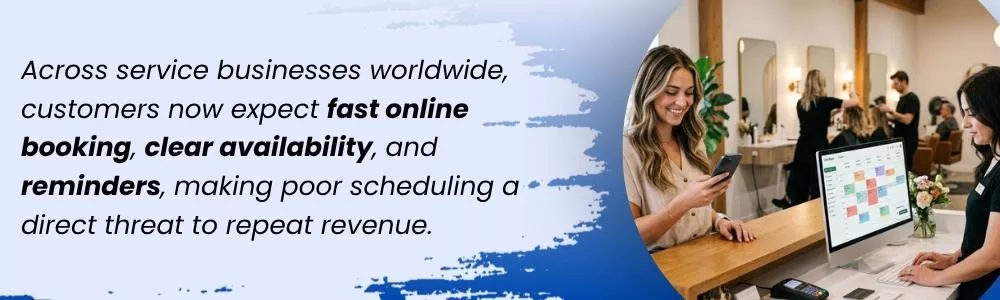
Turn Scheduling Into a Revenue Tool
Poor scheduling is one of those problems that hides in plain sight. Everyone sees the calendar, but not everyone sees the money leaking from it.
A missed appointment here. A strange gap there. A staff member is waiting around. A customer who could not find the right time. A cancellation that never got refilled.
These moments add up.
For service businesses, scheduling is not just about organizing the day. It is about protecting revenue, improving customer experience, and helping staff work with less chaos.
This is where Dotbooker can make a real difference.
Dotbooker helps appointment-based businesses manage bookings, schedules, customer appointments, payments, staff availability, packages, reminders, and cancellations from one place. Whether you run a salon, spa, fitness studio, wellness center, clinic, or service-based business, Dotbooker gives you better control over your calendar so fewer hours go unused and fewer bookings slip away.
A better schedule does not just make the day look cleaner. It helps the business earn more from the time it already has.
Popular Blogs

- Oct 20, 2022
- 6072

- Sep 08, 2024
- 5554

- Nov 11, 2022
- 4931

- Oct 13, 2025
- 3986
Ready to Transform
Your Business?

Get expert guidance to streamline your business operations.