- By Dotbooker
- Jan 05, 2026
- 1285
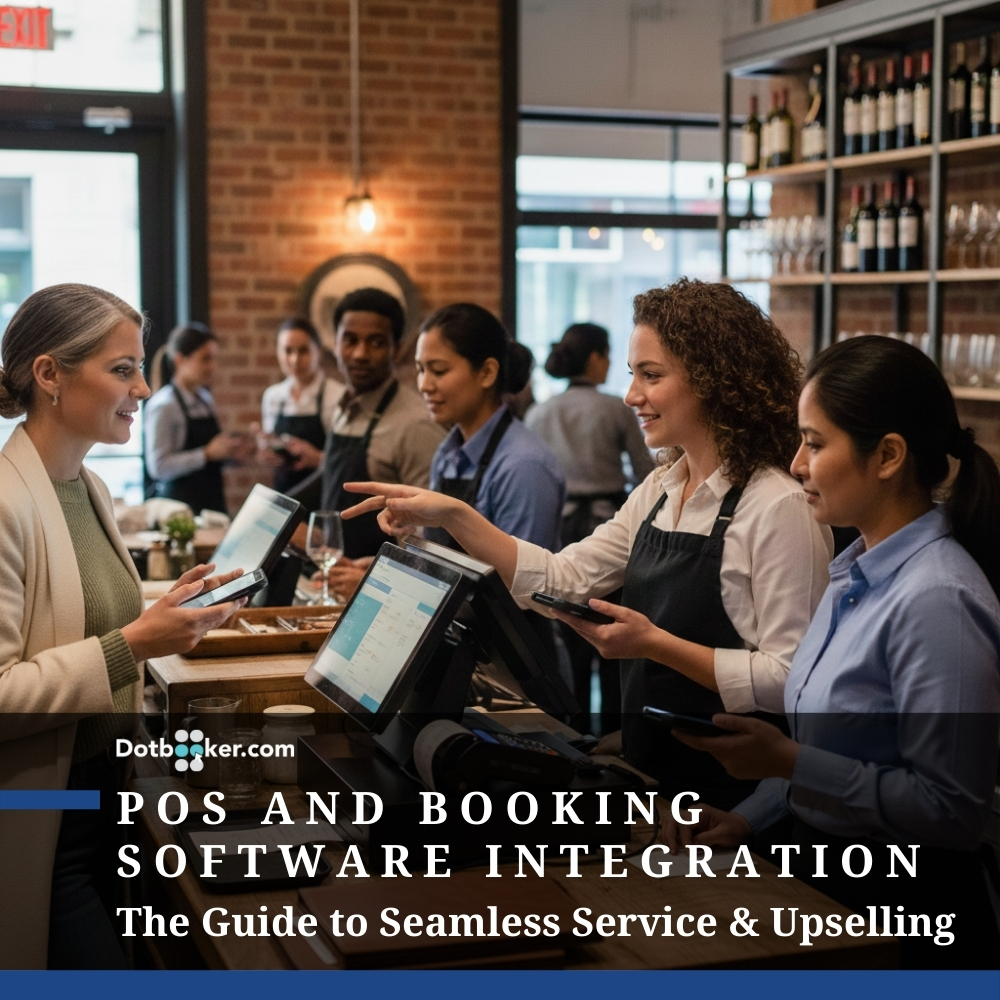
POS and Booking Software Integration: The Guide to Seamless Service & Upselling
There’s a silent partnership that often goes unnoticed in the world of service-based businesses, one that begins when a client clicks “Book Now” and continues until the final receipt is sent.
The booking software and the point-of-sale system (POS).
Most businesses treat them like distant cousins. They coexist, occasionally exchange information, but rarely operate in harmony. And that’s where the friction begins. Small delays. Data mismatches. Missed upselling moments. Incomplete records. All because these two core tools weren’t built to speak the same language.
But when they finally do? That’s when the magic happens.
The Appointment Doesn’t End at Scheduling
Let’s rewind the clock for a moment. A client books a facial online. She picks her favorite aesthetician, selects a 3 PM slot, and even adds a comment: “Prefer lavender scent, please.” She walks in, gets her service, and is ready to pay.
Now, here’s where the story takes one of two directions.
Version A: The staff fumbles between two systems, one for checking the appointment, another for billing. The client waits. Preferences are missed. A loyalty discount isn’t applied because no one noticed.
Version B: The system instantly pulls up the appointment, applies the correct discount, reminds the therapist about the lavender preference, and completes the checkout in seconds.
Which one feels like a brand worth coming back to?
The difference is clear: it lies in how you’ve achieved POS and Booking Software Integration.
The Service Advantage: Benefits of POS and Booking Software Integration
In every service business, the magic moment happens not just when a client walks in, but when everything they expect falls into place without friction. That’s why integrating your Point-of-sale system with your booking software isn’t just an operational tweak; it’s a complete elevation of your client experience and internal workflow.
When these two systems are unified, they bridge what is often a fragmented and error-prone journey, from booking the appointment to completing the service and collecting payment.
Here’s how that changes the entire game in real-world scenarios:
1. Seamless Customer Flow
Imagine this: A client books a facial for Saturday afternoon through your website. She selects her preferred therapist, adds a note about her sensitive skin, and uses her prepaid session from a package. When she arrives at your spa, the staff doesn’t need to ask for the exact details again; the system already knows everything.
The booking information automatically populates the POS interface. Her preferences, service history, package balance, and therapist selection are already reflected. At checkout, no one needs to hunt for her records, ask for card details again, or fumble with paper logs. She smiles. Your team smiles. Everyone saves time.
In a world where clients expect everything to “just work,” seamless integration delivers the kind of smooth, tech-enabled experience that makes them return and recommend you.
2. Automated Record Keeping
Every service-based business struggles with one common problem: manual data entry.
Without integration, your front desk or admin team might need to cross-check appointments, enter client details into the POS, calculate totals, track package usage, and reconcile payments, all manually. This is not just tedious; it increases the risk of human error.
Integrated systems, however, do this automatically. As soon as an appointment is marked complete, the system logs every relevant detail:
- Service type and duration
- Assigned staff member
- Products used
- Total charged
- Tip received
- Payment method
- Remaining package sessions
This clean, time-stamped log becomes part of the client’s history and your operational audit trail. So whether it’s for client re-engagement, refunds, audits, or staff performance reviews, everything is already stored, organized, and ready.
3. Smarter Upselling
Upselling shouldn’t feel pushy. It should feel intuitive, like a thoughtful recommendation based on what your client already values.
When your POS is connected to your booking software, your system knows what service the client just received. This context is gold.
For example:
- After a hair-color session, the POS recommends a color-safe shampoo and conditioner combo.
- After a deep tissue massage, it offers a discounted aromatherapy upgrade for next time.
- A client who has booked 3 pilates sessions is shown a class pass upgrade at checkout.
Because it’s based on real-time data, this kind of upselling doesn’t feel random; it feels personal. And the best part? It’s initiated by the system, not left to memory or manual notes.
This not only boosts revenue per customer but also improves satisfaction by showing your business understands their needs.
4. Accurate, Actionable Reporting
In disconnected systems, reporting is a headache. You might have to pull appointment reports from one platform, payment data from another, and inventory logs from a third, only to spend hours cleaning and aligning the data in Excel.
Integrated systems eliminate this hassle. With your POS and booking data flowing into the same ecosystem, you get:
- Service-level revenue insights: Know exactly which services bring in the most revenue, and which underperform.
- Staff performance analytics: Track individual performance, from services completed to upsells achieved, and tips received.
- Product-to-service correlations: Understand which products sell best after specific treatments.
- Client lifecycle tracking: See how long clients stay, when they drop off, and what triggers repeat bookings.
This allows business owners to make decisions not based on guesses, but on clear, measurable trends. Want to launch a package? Optimize your price points? Reduce staff idle time? The data is already telling you how, you just have to look.
Essential Features of Modern POS Systems
Here’s a closer look at what the most advanced systems now bring to the table:
Real-Time Sync with Booking Data
The best POS systems don’t just pull in booking data once a day. They update in real-time, meaning the moment a client checks in or modifies their appointment, the system reflects it instantly across all modules, payments, packages, inventory, and reports.
For example:
- If a service is rescheduled, the expected revenue forecast adjusts instantly.
- If a no-show occurs, the POS records the absence and may automatically apply a cancellation fee.
This real-time sync allows your business to be agile, reacting to changes as they happen, not after they’ve already cost you.
Full-Service Mobility
Service businesses don’t live behind counters anymore.
From salons where stylists move between chairs to mobile spas to fitness studios where instructors roam, mobility is key. Top POS systems are fully cloud-based and compatible with tablets and smartphones.
This means:
- Checkouts can happen on the gym floor, in treatment rooms, or even outdoors.
- Staff can check client history, apply add-ons, and complete sales from any device.
- Business owners can view dashboards remotely, monitor live activity, and make updates on the go.
Mobility translates to convenience not just for clients but also for your team.
Integrated Inventory Management
Retail and service are deeply intertwined in wellness and beauty businesses. A facial may use five products, two of which the client wants to purchase. Without integration, tracking usage and availability is chaotic.
The top POS systems let you:
- Automatically deduct product usage from inventory during a service
- Receive low-stock alerts before you run out
- Link sales directly to service types, so you can identify top-selling products
- Reorder items from within the platform using vendor integration
This reduces waste, improves cash flow, and ensures your most popular items are never out of stock.
Flexible Payment Options
Clients today expect payment flexibility. Whether it’s paying with a stored card, Apple Pay, part cash/part wallet, or redeeming a gift card, your POS system should support it all.
In integrated systems:
- Gift card redemptions are automatically linked to the client's history
- Wallet balances adjust in real-time
- Partial payments, down payments, and installment billing become easy
- Multi-client or group payments are handled smoothly (ideal for a couple of sessions or shared classes)
It’s not just about accepting money, it’s about making the process feel effortless.
Personalized Receipts and Follow-ups
Your receipt is not just a transaction slip; it’s the last impression you leave.
Top POS systems allow:
- Custom-branded receipts with your logo and colors
- Breakdown of services, taxes, discounts, and tips
- Suggested products or packages for next time
- Loyalty balance updates or referral invites
- Direct links to leave reviews or rebook online
Sent via email or SMS instantly, these receipts feel like a continuation of your service rather than just a formality.
Secure Tip and Commission Handling
In service-based environments, tips and commissions can get tricky. You don’t want manual logging, miscommunication, or conflicts.
Modern POS systems offer:
- Automated tip tracking at the individual staff level
- Commission rules that trigger based on service type, value, or product upsell
- End-of-day or week reports for each employee
- Option to split tips among teams (functional in couples’ treatments or group services)
This transparency fosters trust, improves morale, and makes payroll much easier.
Why Integration Is Essential for Small Businesses
Small businesses don’t have the luxury of inefficiency. Every minute, every mistake, every manual entry costs time, money, and potentially repeat business.
The best POS for small business owners is not necessarily the most expensive. It’s the one that:
- Fits your service workflow
- Requires minimal training
- Integrates smoothly with your booking software
- Handles payments, packages, memberships, and client records without friction
For a salon, it means the stylist doesn’t need to leave the chair to finalize the transaction. For a yoga studio, it means the instructor can view attendee history and package usage while taking attendance. For a pet grooming center, this means that check-in, treatment logs, and checkout occur in a unified flow.
Turning Appointments Into Revenue: Where It All Comes Together
Integration isn’t just a nice-to-have anymore. It’s a growth multiplier.
When your booking and payment systems work hand-in-hand, you don’t just run your business more efficiently, you elevate every single customer interaction.
Clients don’t want to re-explain their preferences. Staff don’t want to switch between tabs. Owners don’t want to second-guess their numbers. And no one wants to miss a sale because the system couldn’t keep up.
The best service businesses in 2026 will be those that make the back end invisible, where the tech disappears, and all that’s left is a fluid, memorable customer experience.
The Smarter Way to Connect Booking and Payments
If you’re ready to reduce errors, improve service speed, and truly understand your business performance, start by integrating your POS and booking software. And if you’re still managing both separately, it might be time to ask: how much is disconnection costing you?
That’s where Dotbooker comes in.
Dotbooker is built for service-based businesses that want to grow without complexity. Whether you manage a salon, studio, spa, gym, or therapy center, Dotbooker lets you handle booking, staff scheduling, POS, packages, and client management, all in one place.
You don’t need five platforms to run your business anymore. You just need one that works the way you do.
Popular Blogs
- Oct 20, 2022
- 6200
- Sep 08, 2024
- 5688

- Nov 11, 2022
- 5059
- Oct 13, 2025
- 4122
Ready to Transform
Your Business?

Get expert guidance to streamline your business operations.