
Gym Scheduling Software: Managing Peak Hours Without Chaos
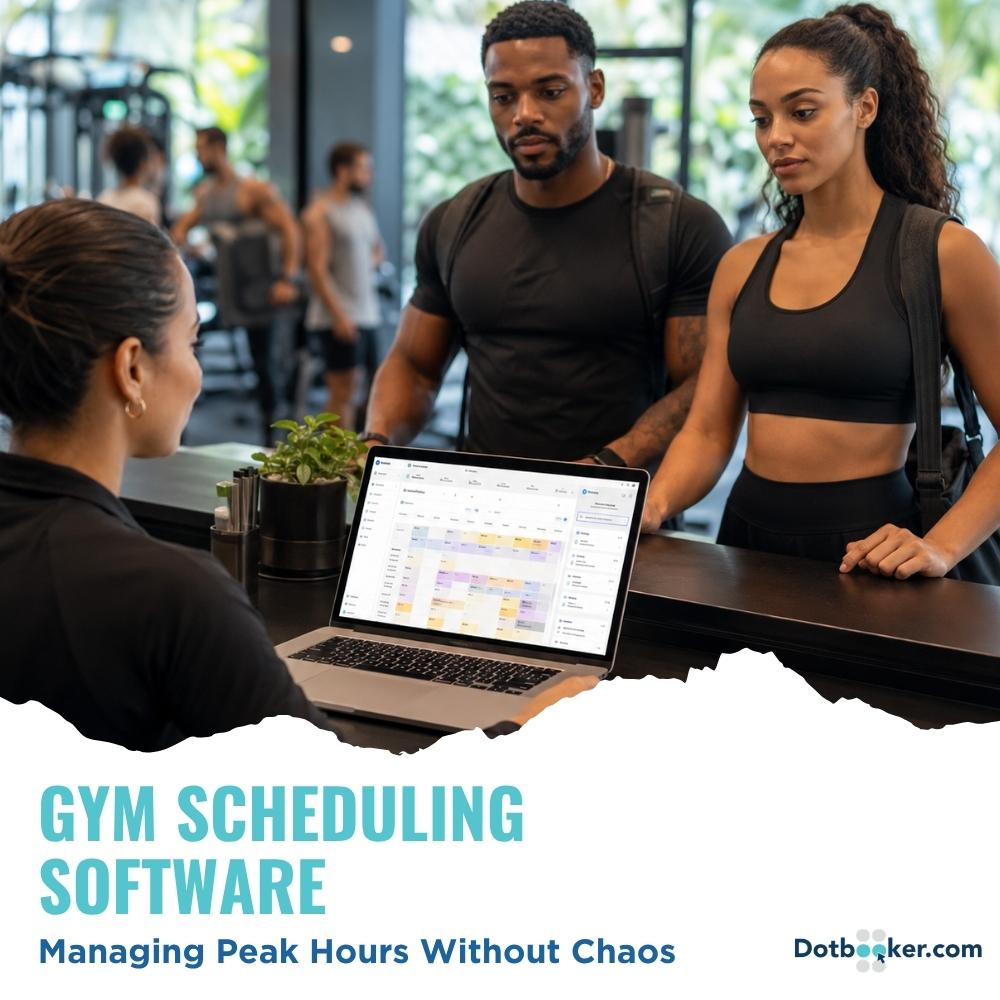
It is 6:07 PM.
The front desk phone is ringing.
Three members are asking if the 6:15 class still has space.
One trainer is looking for the class list.
Someone says, “I booked yesterday.”
Someone else says, “But I always come at this time.”
And somewhere near the entrance, a staff member is trying to smile as if this is completely normal.
Every gym knows this moment.
Peak hours can make even the most well-run fitness center feel like a train station with dumbbells. Members are arriving after work, classes are filling fast, trainers are switching between sessions, and one missed booking update can create five different problems.
The rush itself is not the issue.
A busy gym is usually a good sign. It means people want to train. It means your classes are working. It means your trainers are trusted.
The real problem begins when demand outpaces your booking process.
That is where gym scheduling software becomes more than a digital calendar. It's the difference between a busy gym that feels organized and one that feels one protein shake away from panic.
Why Gym Scheduling Software Simplifies Peak Hours
Peak hours are predictable.
- Early mornings before work.
- Evenings after office hours.
- Saturday mornings are when everyone suddenly remembers their fitness goals.
Every gym can see the rush coming. The strange part is that it still catches many teams off guard.
The problem is not that members arrive in large numbers. That is actually a good sign. It means your gym has demand, your classes have interest, and your members want to be part of the experience.
The real issue is what happens when too many people want the same limited things at the same time.
- The same trainer.
- The same 6 PM class.
- The same strength area.
- The same few treadmills are near the mirror.
- The same “quick” check-in that suddenly has ten people waiting.
That is when small scheduling gaps become big operational problems.
- A member books but does not show up.
- Another member wants that same spot but never gets notified.
- A trainer changes availability, but the front desk does not see it.
- A class reaches capacity, but someone still gets added manually.
- A walk-in arrives just as the class is about to start.
- A cancellation comes in via a message, but no one updates the actual schedule.
Individually, these issues look small.
Together, they create the kind of peak-hour confusion that makes staff feel rushed and members feel ignored.
This is not always a people's problem. Most of the time, it is a process problem.
Manual scheduling can work when the gym is quiet. It can work when there are fewer members, fewer trainers, and fewer class types. But once bookings, packages, memberships, cancellations, waitlists, and walk-ins all start happening simultaneously; manual coordination becomes too fragile.
Peak hours expose every weak point in the booking process.
- If the schedule is unclear, members will notice.
- If capacity is not controlled, trainers notice.
- If cancellations are not updated quickly, the front desk will notice.
- If no-shows keep blocking spots, the business will notice.
Manual scheduling was never made for modern fitness demand. A busy gym needs a system that can keep up with the rush before it begins, not after the front desk has already turned into a complaint counter.

How Fitness Booking Systems Give Members Clarity
Your members do not care that the booking sheet was updated late.
- They do not care that someone forgot to check the WhatsApp message.
- They do not care that the trainer changed availability at the last minute.
- They care about one thing:
“Can I get the workout I planned for?”
That may sound simple, but for the member, it matters a lot.
When someone makes time to visit the gym, they are not just choosing a class. They are fitting that class into a busy day.
- Maybe they left work on time for once.
- Maybe they arranged childcare.
- Maybe they skipped traffic by taking a different route.
- Maybe they came during lunch and had exactly 45 minutes.
- Maybe they finally convinced themselves to restart their fitness routine.
So when they arrive and hear, “Sorry, there has been a mix-up,” it does not feel like a small admin issue.
It feels like their effort was wasted.
That is why clarity matters so much.
Members want to know what is available. They want to know their spot is confirmed. They want to know what happens if they cancel. They want to know whether they are on a waitlist. They want to know if they need to pay before arrival.
They do not want to guess.
A fitness booking system helps create that clarity before the member walks through the door.
- They can see available classes.
- They can reserve their spot.
- They can receive reminders.
- They can cancel when needed.
- They can join a waitlist.
- They can check their upcoming bookings without calling anyone.
This makes the experience feel smoother and more respectful.
For the gym, it also reduces unnecessary conversations at the front desk. Staff do not have to repeat the same booking details. Members do not have to chase confirmations. Trainers do not have to wonder who is attending.
A clear booking process builds trust.
And in fitness, trust matters. Members are more likely to return when the experience feels easy, organized, and worth their time.
Gym Appointment Software Beyond Message Bookings
For a small gym, message-based booking may feel easy.
- A member sends a WhatsApp message.
- Someone replies.
- The slot is confirmed.
Simple.
At first, it may even feel personal. Members like being able to message the gym directly. Staff can respond casually. Everyone knows everyone.
Then the member base grows.
- More people start booking.
- More trainers join the schedule.
- More class types are added.
- More packages are introduced.
- More cancellations happen.
- More members expect fast replies.
And suddenly, “just message us” becomes a daily mess.
- Messages get buried under other messages.
- Two staff members reply to the same person.
- A cancellation is seen but not updated.
- A member asks about a class, but the staff thinks it is a confirmed booking.
- A trainer changes their availability, but the message stays in the same chat thread.
- Someone sends “book me for tomorrow,” and nobody knows which class they mean.
Then comes the classic line:
“I spoke to someone last week.”
- Nobody knows who.
- Nobody knows when.
- Nobody wants to argue.
This is where message-based booking starts creating grey areas.
- Was the member confirmed or only enquiring?
- Did the staff member update the schedule?
- Was the payment checked?
- Was the class already full?
- Was the member using a package of credit?
- Was the trainer actually available?
When the answer depends on memory, screenshots, or scrolling through old chats, the business is already under pressure.
Gym appointment software removes that grey area by keeping bookings, cancellations, trainer availability, package status, payments, and member records in one place.
- Instead of asking, “Who confirmed this?” Staff can check the system.
- Instead of searching through messages, they can see the booking history.
- Instead of relying on memory, they can rely on a clear record.
This does not make the gym less personal. It simply makes it easier to deliver a personal service without confusion.
Members still feel supported. Staff just get a cleaner way to manage the work behind the scenes.
How Class Scheduling Tools Manage Capacity Better
Many gyms think capacity means, “How many people can fit in the room?”
That is only part of it.
A room may physically fit 25 people, but that does not mean every class should accept 25 bookings.
- A HIIT class needs movement space.
- A yoga session needs a breathing room.
- A strength class needs equipment access.
- A beginner class needs more attention from the trainer.
- A personal training group needs closer guidance.
The real question is not, “How many bodies can fit?”
The better question is, “How many people can have a good experience in this session?”
That is where capacity planning is important.
Good capacity planning asks:
- How much space does this class need?
- How many people can one trainer guide properly?
- Does the session need equipment?
- Will the room need a reset time?
- Is the class beginner-friendly or advanced?
- Does the workout involve movement, mats, machines, or stations?
- Will members feel comfortable, or will they feel packed in?
A class can be full and still feel well-managed.
It can also be full and feel like everyone is one step away from a collision.
Class scheduling tools help gyms set capacity based on the actual class type, trainer availability, equipment, and room usage.
This protects safety, trainer attention, and member experience.
It also helps avoid uncomfortable decisions at the door. Staff do not have to keep squeezing in “just one more” person. The system shows the limit, and the limit protects the session.
Nobody wants to do lunges while silently negotiating floor space with a stranger.
Good capacity rules also help build members' trust in the gym. When they book a class, they know the session will not be overcrowded. When a class is full, they understand there is a reason.
That kind of consistency makes the whole experience feel more professional.
Fitness Booking Systems With Better Waitlists
Members understand when a class is full.
What frustrates them is not knowing what happens next.
- Am I on the waitlist?
- What number am I?
- Will I be notified?
- Should I keep checking?
- Should I call the front desk?
- Should I give up and eat pasta instead?
A waitlist should give members hope, not confusion.
The problem is that many gyms handle waitlists manually. A staff member writes down names, checks cancellations, messages people one by one, waits for replies, and tries to update the class list before the session begins.
That may work once in a while.
During peak hours, it quickly becomes difficult.
If a member cancels at 5:20 PM for a 6 PM class, staff may already be busy with check-ins, calls, walk-ins, and trainer questions. By the time someone contacts the waitlist, the class may already be starting.
Now the gym has an empty spot in a class that people wanted to attend.
That is frustrating for everyone.
A fitness booking system makes waitlists clearer and faster to manage.
When someone cancels, the next member can be notified automatically. Depending on the setup, the member may get a chance to confirm within a set time. If they do not respond, the system can move to the next person.
This helps keep peak-hour classes full without making staff chase people manually.
It also makes the process feel fair.
Members know they are not being ignored. Staff know the system follows the correct order. Trainers get a more accurate class list.
For popular classes, this can make a real difference.
A class that looked full does not end up with empty spaces because no one had time to call the waitlist manually.
And members who truly want to attend get a better chance of joining.
How Gym Scheduling Software Reduces No-Shows
A no-show is not just an empty mat.
- It is a lost spot.
- A missed revenue chance.
- A frustrated waitlisted member.
- A trainer preparing for someone who never arrives.
- A class that looks full on paper but feels half-used in reality.
During peak hours, no-shows are even more damaging because demand is high.
One person books and does not attend. Another person wanted that same spot but could not get in. The gym loses the chance to serve both properly.
No-shows also create bad habits.
If members realize there is no real impact of missing booked sessions, some may continue to do so. Not out of bad intention, but because the system allows it.
A fair booking process helps change that behavior.
Gym scheduling software can reduce no-shows through reminders, cancellation windows, attendance tracking, and clear booking rules.
- A member can get a reminder before class.
- They can cancel early if plans change.
- The waitlist can move automatically.
- Staff can track repeat no-shows.
- The gym can apply a fair policy when needed.
The goal is not to punish members.
Life happens. Meetings run late. Traffic gets messy. Children suddenly remember urgent school projects five minutes before leaving. That is real life.
The goal is to stop one person’s missed booking from affecting everyone else.
A good no-show policy is clear, fair, and easy to understand. It protects the member experience while helping the business use its peak-hour capacity properly.
Why Members Prefer Self-Service Fitness Booking Systems
Most members do not want to call the front desk to book a class.
They do not want to wait for a reply.
They do not want to ask, “Is there space?”
They want to open their phone, check availability, reserve a spot, cancel if needed, or join a waitlist.
That is normal now.
People book flights, haircuts, restaurant tables, hotel rooms, doctor visits, and grocery deliveries online. Fitness should not feel harder than ordering lunch.
A self-service fitness booking system gives members more control over their routine.
- They can book outside business hours.
- They can check their schedule at any time.
- They can cancel without feeling awkward.
- They can see what is full and what is open.
- They can plan workouts around their day.
This is especially useful for busy members who are trying to stay consistent.
- A parent may book after the kids are asleep.
- A working professional may book during lunch.
- A visitor may book a class while planning the next day.
- A regular member may quickly switch sessions when plans change.
Self-service does not mean the gym becomes less personal.
It means staff are not stuck handling repetitive booking tasks all day.
- Members get convenience.
- Staff get fewer interruptions.
- The front desk gets to breathe.
And when staff have more time, they can focus on better service, not just answering the same class availability question 30 times a day.
How Gym Appointment Software Supports Trainer Scheduling
Peak-hour chaos affects trainers as much as members.
- A trainer may have back-to-back sessions without a reset period.
- They may not know who is attending.
- They may be assigned too close to another class or private appointment.
- They may prepare for ten people and suddenly see sixteen.
- They may start late because check-in is unclear.
That affects the quality of the session.
Trainers need time to properly prepare, guide, adjust, and support members. If their schedule is messy, their energy gets drained before the class even begins.
Gym appointment software helps managers see trainer availability, assigned sessions, private bookings, class attendance, and schedule gaps more clearly.
This helps avoid simple but costly mistakes.
- No double bookings.
- No unclear trainer slots.
- No private sessions overlap with group classes.
- No last-minute confusion about who is leading what.
- No trainer walks into a class without knowing the attendance list.
Better trainer scheduling also helps the business understand demand.
- Which trainers are most booked?
- Which classes fill fastest?
- Which time slots need more staff?
- Which trainers need more buffer time between sessions?
When trainer time is managed properly, everyone benefits.
- The trainer feels prepared.
- The member gets better attention.
- The class starts on time.
- The business uses its resources better.
When trainers have a cleaner schedule, they can focus on coaching instead of calendar confusion with a side of burpees.
Class Scheduling Tools That Support Front Desk Teams
In many gyms, the front desk becomes the control room for everything.
- Bookings.
- Cancellations.
- Trainer availability.
- Package balance.
- Walk-ins.
- Payments.
- Check-ins.
- Complaints.
At some point, reception turns into air traffic control.
That is not fair to the staff, and it is not sustainable for the business.
The front desk should support members, not carry out the entire scheduling process in memory or require manual updates.
During peak hours, the pressure becomes even worse.
- One person is checking in members.
- Another is answering the phone.
- Someone wants to buy a package.
- A walk-in wants to join a class.
- A trainer needs an updated list.
- A member says their booking is missing.
If all of this depends on manual checking, mistakes are almost guaranteed.
Class scheduling tools reduce that pressure by keeping key information visible.
Staff can quickly see:
- Who is booked
- Who checked in
- Who cancelled
- Who is on the waitlist
- Which slots are open
- Which members have active packages
- Which payments are pending
This gives staff faster answers and fewer repeated tasks.
The system does not replace your team.
It helps your team stop doing work that software can handle better.
That leaves staff with more time for the human side of the gym experience, such as welcoming members, solving real issues, helping new clients, and supporting trainers.
For gyms that want to connect peak-hour scheduling with memberships, payments, and class bookings, this guide explains how a gym management system streamlines class booking and memberships and how everything works together within a fitness business.
Payments and Packages Should Connect to Bookings
Peak-hour check-in becomes messy when bookings and payments are disconnected.
- A member books a class, but their package has expired.
- Another member joins a premium session, but their plan does not include it.
- Someone arrives for a personal training session, but payment is pending.
- A member thinks they have credits left, but the front desk sees something different.
Now, staff must check everything manually.
During a quiet hour, this is annoying.
During peak hour, it is chaos, even when wearing a branded gym T-shirt.
Gym scheduling software can connect bookings with memberships, packages, credits, and payments.
- If a member has credits, the system can use one of them.
- If payment is required, they can pay before confirming.
- If the class is not included in their plan, they can see that early.
- If a package has expired, the member can be prompted to renew.
This avoids awkward check-in conversations.
Nobody wants to stop a member at the door and say, “Actually, your package is not valid for this class,” especially when a full class is waiting to begin.
Connected payments also protect revenue.
The gym does not have to rely on “we’ll sort it out later” because later usually turns into a headache.
When bookings and payments work together, the member journey becomes cleaner.
- Book.
- Pay or use credit.
- Get confirmation.
- Arrive.
- Check in.
- Train.
That is the kind of flow members expect.
Peak Hours Can Show You What to Fix
Busy hours are not just stressful. They are full of useful clues.
If you pay attention, peak hours can tell you exactly where the schedule needs improvement.
- Which classes fill first?
- Which trainers have the longest waitlists?
- Which time slots are always crowded?
- Which classes look full but have high no-shows?
- Which days need more sessions?
- Which rooms are underused?
- Which sessions get booked early but canceled late?
Without data, gyms often guess.
- Maybe the 6 PM class feels busy because it is popular.
- Maybe it feels busy because there are not enough nearby alternatives.
- Maybe Saturday morning is overcrowded because the class time is perfect.
- Wednesday evening may be quiet because the timing doesn't work for members.
Better scheduling data helps gyms make better decisions.
- Maybe the 6 PM class needs a second slot.
- Maybe Saturday morning needs a larger room.
- Maybe one quiet class needs a new time or format.
- Maybe a popular trainer should get another session.
- Maybe no-show rules need to be adjusted for premium classes.
This is where scheduling becomes more than admin work.
It becomes a way to understand member behavior.
Class scheduling tools help owners and managers stop guessing and start making adjustments based on actual usage.
That does not mean changing the schedule every week. It means noticing patterns and making smart updates before members start getting frustrated.
A good schedule should grow with the business.
Features Every Gym Scheduling Software Should Include
A gym does not need a complicated system with features nobody uses.
It needs tools that solve daily problems.
Good gym scheduling software should help members book easily and help staff manage the rush without jumping between chats, spreadsheets, payment records, and class lists.
At a minimum, it should include:
- Online class booking
- Trainer availability
- Class capacity limits
- Waitlist management
- Booking cut-off times
- Automated reminders
- Attendance tracking
- Cancellation rules
- Package and membership handling
- Payment support
- Reports and schedule insights
But the feature list is only part of the decision.
The software should also be easy to use.
- Members should not need to take 5 steps to book a class.
- Staff should not need training every time they update a schedule.
- Managers should not need to ask three people just to know which class is performing well.
The best system is not the one with the longest feature list.
It is the one your staff and members will actually use.
A good setup should make daily operations feel lighter.
- Members book with less friction.
- Staff members manage schedules with fewer mistakes.
- Trainers know what their day looks like.
- Owners get a clearer view of bookings, attendance, and demand.
That is when gym scheduling software starts making a visible difference.
Not because it looks impressive on paper, but because the busiest hours finally feel easier to manage.
Dotbooker for Better Fitness Booking Management
Peak hours do not have to feel like damage control.
Dotbooker helps gyms, fitness studios, wellness centers, and service-based businesses manage bookings, packages, memberships, payments, check-ins, schedules, and customer activity from one place.
For fitness businesses, that means fewer manual booking issues, clearer class capacity, better waitlist handling, smoother member experiences, and less pressure on staff during busy hours.
Whether a gym offers group classes, private training, recurring packages, walk-ins, or membership-based access, Dotbooker helps streamline the booking flow.
- Members get easier booking.
- Staff get fewer repetitive tasks.
- Owners get better visibility.
And the 6 PM rush starts to feel less like a daily emergency.
Turning Busy Gym Hours Into Smooth Operations
A busy gym is a good thing.
- It means people are showing up.
- It means your services are in demand.
- It means your members want to be there.
But busy should not mean confusing.
Gym scheduling software helps fitness businesses manage peak-hour demand before it turns into a problem. It supports better capacity control, fewer no-shows, clearer waitlists, smoother payments, and a booking experience members can trust.
For gyms in the Cayman Islands, the US, and Canada, the expectation is simple.
Members want fitness to fit into their day without extra hassle.
The gyms that understand this will not just survive peak hours.
They will turn those hours into one of the strongest signs that the business is running well.