
- By Dotbooker
- Aug 10, 2026
- 341
Dynamic Pricing Software: Fill Slow Hours Smarter
Pricing is one of the most important decisions for any service business, yet many businesses continue to charge the same price regardless of when customers book, how much demand exists, or how quickly certain appointment times fill.
For Caribbean salons, spas, gyms, fitness studios, wellness centers, massage businesses, and other appointment-based services, customer demand can vary considerably throughout the week and year. Weekend appointments may fill quickly, weekday afternoons may remain available, and busy tourism periods can create more demand for selected services.
Reducing prices across the entire business is not always the right answer.
Frequent discounts can lower the amount earned from customers who are already willing to pay the regular price. Customers may also become accustomed to waiting for promotions before booking.
Dynamic pricing software gives service businesses another way to manage changing demand.
Businesses can create pricing rules for slower hours, high-demand appointment times, seasonal periods, premium services, and selected booking conditions. Instead of repeatedly changing prices manually or offering business-wide discounts, pricing can respond to specific booking patterns.
The objective is simple: encourage more bookings when capacity is available, protect the value of high-demand appointments, and make better pricing decisions using actual business activity.
Your Calendar Is Telling You Something About Your Prices
Look at the last three months of bookings.
- Which appointments fill first?
- Which classes regularly reach capacity?
- Which days require a waitlist?
- Which hours remain available until the last minute?
- Which services are requested most often during tourist season?
- Which premium staff members are booked weeks in advance?
The answers reveal something important.
Customers demand changes. Yet many service businesses continue using the same price from Monday morning to Saturday evening.
Consider a massage studio.
Saturday appointments may be fully booked for several days in advance, while Tuesday afternoon has several empty rooms. The business could reduce every massage price by 20%.
But that would also reduce revenue from Saturday customers who were already willing to book at the standard price. A better strategy is to treat the slow period differently.
This is where off peak pricing becomes useful. The business can create a pricing rule for selected low-demand times while protecting the value of high-demand appointments.
Instead of asking, "Should we discount our services?"
The better question becomes:
"Which appointment times need pricing support, and which appointment times do not?"
What Is Dynamic Pricing Software for Service Businesses Works?
Dynamic pricing software helps businesses create and manage pricing rules that respond to predefined conditions.
These conditions may include:
Time of day
Day of the week
Booking demand
Remaining availability
Seasonal periods
Weekends and public holidays
Last-minute appointment openings
Advance booking periods
Premium services
High-demand staff members
Special events
A dynamic pricing tool applies the pricing strategy to the appropriate service or booking period.
For example, a Cayman wellness center could maintain its standard massage price during normal booking periods.
During selected slower weekday hours, an off-peak pricing rule could offer a different rate.
During Christmas, Easter, long weekends, or other high-demand periods, the business could use a separate pricing rule for selected appointment times.
A peak pricing software setup could also help protect the value of limited Saturday appointments rather than offering the same price across every day of the week.
The business remains responsible for deciding its pricing strategy.
The software helps apply those rules consistently.
Filling Slow Hours Does Not Mean Discounting Everything
A business with empty appointments has unused capacity. But that does not mean every customer gets a discount.
Imagine a fitness studio offering personal training sessions.
The 6:00 AM and 6:00 PM sessions regularly fill because customers want appointments before or after work.
The 11:00 AM and 2:00 PM periods remain quieter.
Offering a permanent 20% discount on all personal training sessions would reduce revenue from customers booking the popular times.
Instead, the studio could create an off-peak pricing offer for selected daytime sessions. Customers with flexible schedules receive a reason to book quieter times. Customers who value high-demand periods can continue booking those appointments at the regular price.
The business gains another benefit. Demand may begin spreading evenly across the calendar. Some customers who would normally compete for evening appointments may choose a quieter period when they see a different price.
That can create more availability during peak hours for customers who are willing to pay the standard or premium rate. A dynamic pricing tool gives the business a way to manage that strategy without repeatedly changing prices by hand.
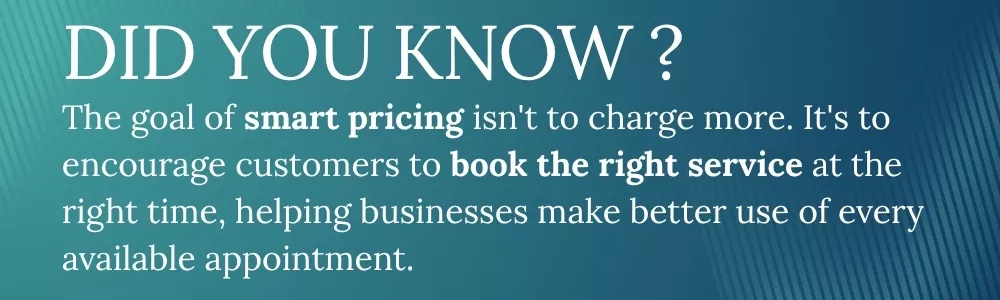
How Dynamic Pricing Software Responds to Changing Customer Demand?
Service businesses have limited capacity.
- A salon has a fixed number of chairs and available staff members.
- A spa has a limited number of treatment rooms.
- A fitness studio can accommodate only a certain number of participants.
- A personal trainer can serve one customer during a reserved appointment period.
Once an appointment time passes without being sold, that capacity cannot be recovered. At the same time, not every appointment period has the same level of demand. Dynamic pricing software allows businesses to define pricing conditions based on when and how customers book.
The software does not decide the business's pricing strategy. The business establishes the rules, and the system applies them when the selected conditions are met.
Pricing Rules Can Be Based on Different Booking Conditions
Depending on the business model, pricing rules may consider:
- Time of day
- Day of the week
- Remaining availability
- Booking demand
- Seasonal periods
- Weekends
- Public holidays
- Advance booking periods
- Last-minute availability
- Premium services
- Specialist staff members
- Limited-capacity classes
A dynamic pricing tool can help manage these conditions without requiring employees to repeatedly change prices.
Fixed Pricing Can Hide Important Differences in Demand
Suppose a Cayman salon regularly fills Friday evenings and Saturdays. And Tuesday and Wednesday afternoons remain quieter.
Charging the same price across every appointment period assumes that customer demand is equal.
It is not.
A business could offer a discount on every service, but this would also reduce revenue from busy appointment times. A more focused approach would use off peak pricing only during the hours that need additional demand.
Customers with flexible schedules receive another reason to consider quieter times, while popular appointments retain their value.
This is one of the main reasons service businesses may consider a dynamic pricing tool instead of relying only on general promotions.
Using Pricing Rules to Fill Slow Hours and Manage Peak Demand
The most practical starting point for dynamic pricing is identifying the difference between slow and busy periods. Businesses should review their calendars and ask:
- Which days regularly have open appointments?
- Which hours fill first?
- Which services are frequently booked in advance?
- When do customers join waiting lists?
- Which appointment periods receive the most last-minute bookings?
- When does demand increase because of tourism, holidays, or local events?
These patterns can help businesses decide where pricing rules may be useful.
Peak Pricing Software Can Protect Limited Capacity
Businesses should also review appointment periods where demand regularly exceeds availability.
A salon may have a senior stylist whose Saturday appointments are booked for weeks in advance.
A fitness studio may have a limited class that reaches capacity every weekend.
A spa may have premium treatment rooms that are difficult to reserve during busy tourism periods.
Peak pricing software can help businesses create separate pricing rules for these high-demand situations. The objective should not be to increase prices every time the calendar becomes busy.
Businesses should identify clear, repeated patterns where demand consistently exceeds available capacity. Possible uses of peak pricing software include:
- Weekend appointments
- Evening sessions
- High-demand instructors
- Specialist staff members
- Premium rooms
- Limited-capacity experiences
- Holiday periods
- Seasonal tourism peaks
Pricing changes should always be visible before customers complete their bookings. Customers should understand what they are purchasing and how much they will pay.
Pricing Automation Software Can Manage Known Seasonal Periods
A spa may experience greater demand during the winter tourism season.
A salon may become busier before Christmas, New Year's Eve, weddings, or graduation.
A fitness studio may attract visitors looking for short-term classes during busy travel periods.
A wellness centre may experience slower booking periods during certain months.
Pricing automation software allows businesses to prepare pricing rules in advance. The business can decide:
- When the pricing rule begins
- When the rule ends
- Which services are included
- Which locations are affected
- Which appointment times qualify
- Whether packages or memberships are included
Once the conditions are defined, pricing automation software can apply the correct pricing rules without requiring staff to repeatedly update prices. This can also reduce the risk of a temporary price remaining active after the intended period ends.
Payments and Sales Records Should Reflect the Correct Price
Dynamic pricing becomes harder to manage when bookings and payments operate separately. Consider a business that changes prices manually.
The booking page shows one amount.
The front desk has another price list.
A temporary promotion ends, but someone forgets to update the booking system.
A customer books at one price and is charged to another.
These situations can create customer complaints and make revenue reporting difficult. Pricing automation software can reduce repeated manual price changes but booking and payment records should remain connected.
POS software helps salons, spas, and studios manage sales explains how connected booking and sales records can give businesses a clearer view of transactions and revenue.
Dynamic Pricing Tool Should Use Booking Data, Not Guesswork
Dynamic pricing should begin with business data. Changing prices because the calendar feels quiet can create poor decisions. Businesses should review actual booking activity before creating pricing rules.
Identify Where Capacity Is Being Lost
Review:
- Appointment occupancy by day
- Appointment occupancy by hour
- Revenue by service
- Revenue by staff member
- Revenue by location
- Booking lead time
- Cancellation patterns
- No-show activity
- Seasonal changes
- Package usage
- Waitlist demand
- High-demand appointment periods
Suppose a salon discovers that appointments between 1:00 PM and 4:00 PM on Tuesdays and Wednesdays average only 40% occupancy. The business has identified a measurable slow period. A controlled off peak pricing rule could be tested for selected services during those hours.
Review Whether the Pricing Rule Actually Improved Revenue
After the rule has been active for several weeks, review the results.
- Did more customers book the selected appointment times?
- Did total revenue increase?
- Did customers move from regular-price appointments to cheaper times?
- Did the business attract new customers?
- Did staff capacity improve?
- Were customers confused by the pricing?
- Did the business become busier without becoming more profitable?
A dynamic pricing tool should support pricing decisions that can be reviewed and adjusted. Reports feature can help businesses review operational and business activity when assessing booking and revenue patterns.
Peak Pricing Software Should Be Used Without Damaging Customer Trust
Customers may accept different prices when the pricing structure is clear. Confusion begins when prices appear unpredictable or change unexpectedly.
Customers Should See the Price Before Booking
Businesses using peak pricing software should make pricing transparent. The final price should appear before the customer confirms the booking. Businesses should avoid hidden charges or unexpected price changes at checkout.
Pricing rules should be simple enough for staff members to explain.
Ready to Turn Empty Appointment Slots into Profitable Booking Opportunities?
Pricing should do more than simply determine how much customers pay. It should help your business make better use of available appointment times, protect high-demand services, and improve revenue throughout the year.
Instead of relying on frequent discounts, businesses can use dynamic pricing software to create pricing rules that reflect actual customer demand. Whether you are trying to fill quieter weekday appointments, manage busy weekend schedules, or prepare seasonal demand across the Caribbean, a well-planned pricing strategy gives you greater control without reducing the value of every booking.
When dynamic pricing is combined with online bookings, automated notifications, payment processing, reporting, and package management, your pricing decisions become part of a smarter business strategy rather than isolated promotions.
Your business already has the data needed to make better pricing decisions. The next step is using it effectively.
Dotbooker helps salons, spas, gyms, wellness centers, massage studios, beauty businesses, and other appointment-based services manage bookings, automate pricing rules, accept payments, sell memberships, track business performance, and deliver a better customer experience from one platform.
Popular Blogs

- Oct 20, 2022
- 6117

- Sep 08, 2024
- 5601

- Nov 11, 2022
- 4982
- Oct 13, 2025
- 4037
Ready to Transform
Your Business?

Get expert guidance to streamline your business operations.