Digital Check-In Software for Busy Caribbean Service Businesses
Booking the appointment is only the first half of the customer journey. What happens when the customer actually arrives matters just as much.
Think about a busy Saturday at a Cayman salon. Three customers arrive within minutes of each other. One has an appointment, another arrives early, and someone else wants to know whether a walk-in slot is available. At the same time, the receptionist is answering the phone while a stylist asks whether their next customer has arrived.
The appointments are organized. The arrival process is not.
For salons, spas, gyms, fitness studios, wellness centers, and other appointment-based businesses, digital check-in software can make this part of the experience much simpler. Customers can confirm their arrival digitally, staff can see who is waiting, and reception can spend more time helping people who need assistance.
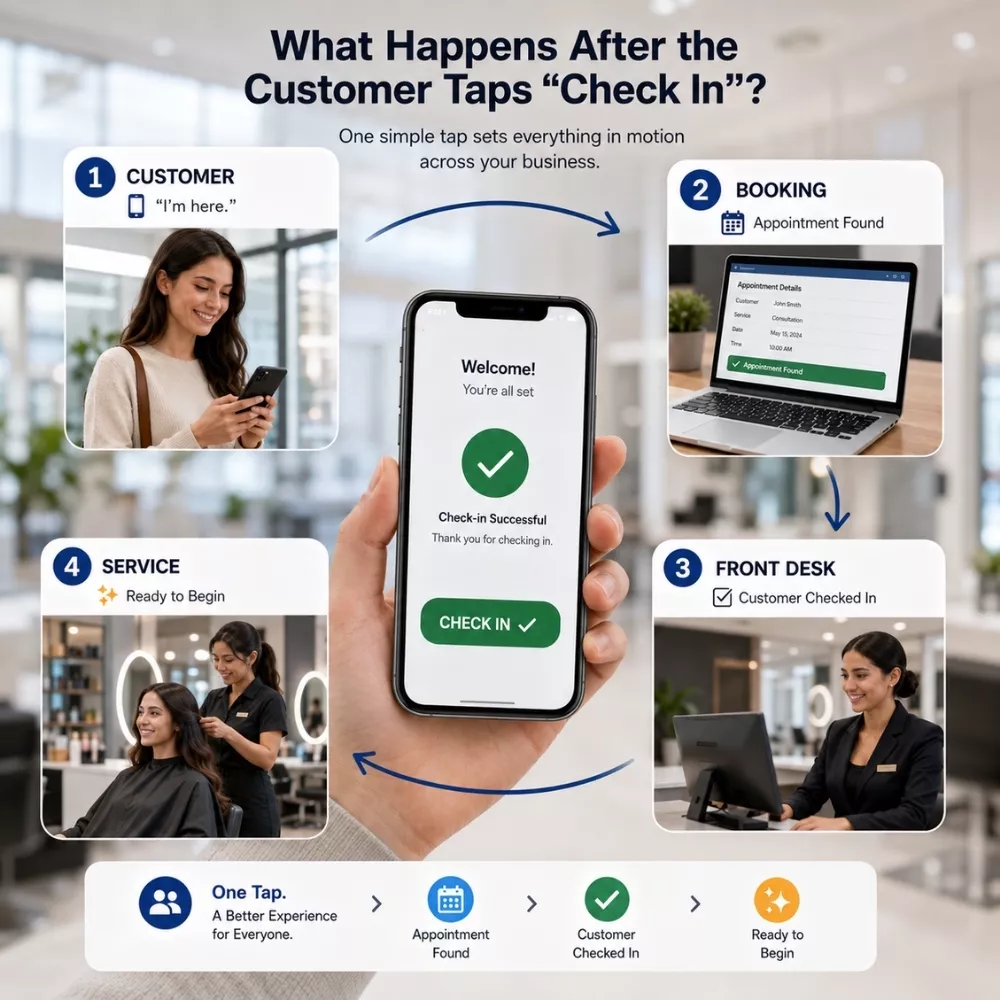
The result is a smoother journey from Booked → Arrived → Checked in → Service Begin.
Why Does Manual Check-In Start Failing When Business Gets Busy?
Manual check-in seems simple when only a few customers arrive at a time.
A customer walks in, gives their name, the receptionist searches for the appointment, confirms the details, marks them as arrived, and tells the relevant employee. Now imagine five customers arriving within ten minutes.
One is early. Another needs to update their information. Two are joining a class starting in five minutes. A walk-in wants to know whether an appointment is available. Meanwhile, the phone is ringing, and another customer is waiting to pay.
The problem is not necessarily the receptionist. The process itself depends too heavily on one person completing several small tasks for every arrival. Manual check-in can begin to struggle because of:
- Repeated information: Customers may need to provide details the business already has.
- Appointment searching: Staff have to manually locate bookings and confirm the right customer.
- Arrival queues: Several customers reaching reception together can quickly create a line.
- Walk-in interruptions: Pre-booked clients and walk-ins may compete for the same employee's attention.
- Delayed staff updates: The service provider may not immediately know their next customer has arrived.
- Manual attendance: Classes and group sessions can require employees to check names one by one.
- Missed updates: During busy periods, an arrival may not be recorded immediately.
For a Cayman salon, spa, wellness centre, gym, or fitness studio, these small delays can become noticeable during peak hours. This is where digital check-in software changes the arrival experience.
Digital Check-In Software Starts Working Before Arrival
One of the biggest changes with digital check-in software is that check-in does not necessarily need to begin at the reception desk. Part of the journey can happen before the customer arrives.
Pre-Registration: Handle Details Earlier
Imagine a wellness appointment that requires basic customer information.
With a complete manual process, the customer arrives and begins providing those details while another person waits behind them. Pre-registration can move applicable information collection earlier in the journey.
The customer provides the required details before arriving, depending on the service and business process. When they reach the location, fewer administrative steps may remain.
Instead of: Arrive → Provide Information → Confirm Booking → Check In
The journey becomes closer to:
Pre-Register → Arrive → Confirm → Service Started
For busy Cayman service businesses, removing even a few repetitive steps can make reception easier to manage.
Self-Check-In System: Let Customers Simply Say “I’m Here”
A pre-booked customer usually does not need another full booking conversation. The business already knows their service.
It knows their appointment time. It may already know the employee or resource assigned to them. The customer mainly needs to confirm one thing:
“I’m here.”
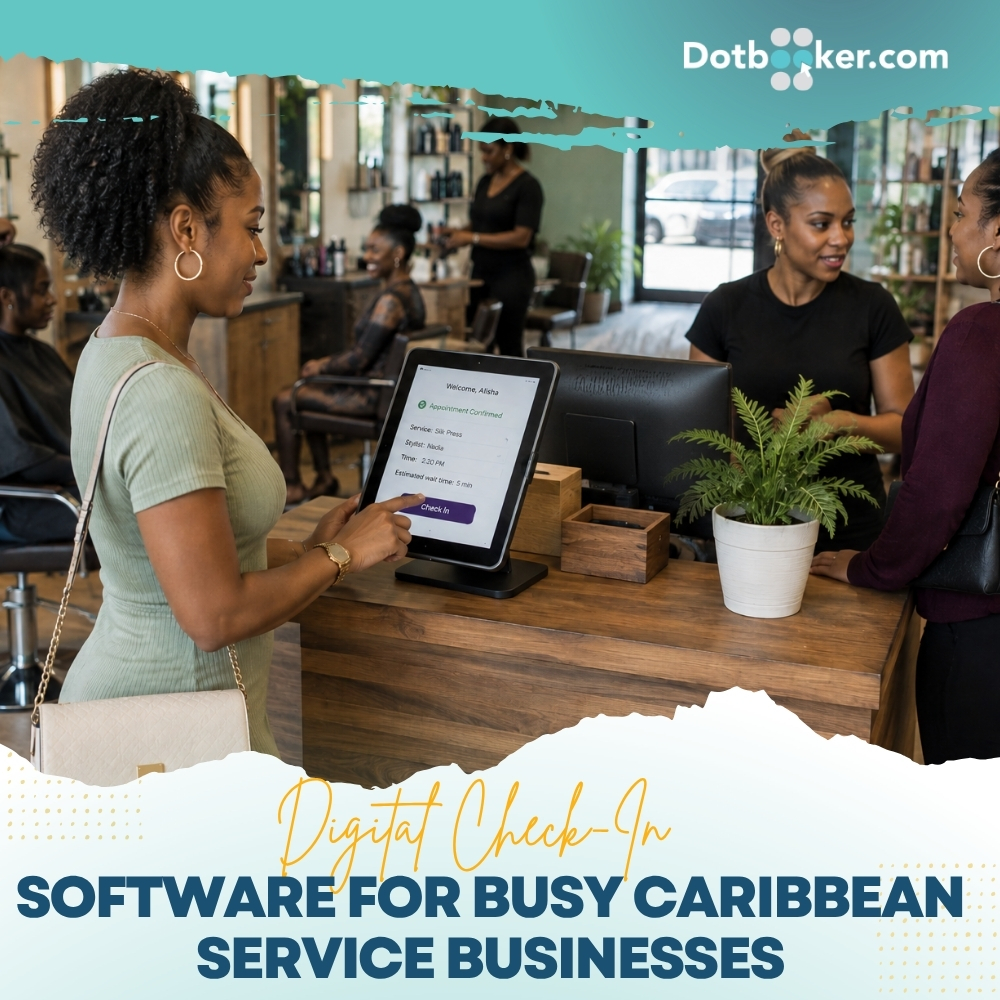
A self-check-in system can allow customers to complete that routine confirmation through the available digital check-in process.
This becomes especially useful when several customers arrive together. Instead of five people waiting for one receptionist, routine arrivals can move through check-in while employees remain available for questions, schedule changes, or walk-ins.
Self-check-in does not remove the welcome. It removes the unnecessary wait before it.
Walk-Ins and Pre-Booked Customers Should Not Need the Same Queue
Walk-ins are different. Someone entering a Cayman salon without an appointment may need to ask:
- What services are available?
- Is someone free now?
- How long is the wait?
- What does the service cost?
That customer needs front-desk assistance. A customer with a confirmed 2:00 PM appointment usually does not. Client check-in software can help create clearer arrival paths:
Pre-booked customer → Self-check-in → Arrival confirmed → Staff sees customer
Walk-in customer → Reception assistance → Availability checked → Booking or service
Now the receptionist can spend more time helping the person who needs a conversation rather than manually processing every arrival the same way.
Client Check-In Software Gives Staff a Live View of Arrivals
A digital check-in is only useful if the right employee can see it. Imagine a massage therapist finishing an appointment at 3:00 PM. Their next customer is scheduled for 3:15 PM.
With a manual process, the therapist may need to walk to reception and ask: “Has my 3:15 arrived?”
With client check-in software, the customer's arrival status can become part of the appointment workflow. The team gets a clearer picture of:
Expected → Arrived → Waiting → Ready for Service
This is particularly useful when employees work in different treatment rooms, studio areas, floors, or sections of a business. The front desk no longer needs to act as the messenger for every arrival.
Appointment Check-In App Can Make Class Arrivals Easier
Now consider a Cayman fitness studio. The class starts at 6:00 PM and twelve members arrive between 5:45 and 5:58. Manually searching and marking every member can create unnecessary activity just before the class begins. An appointment check-in app can make arrival and attendance easier to record.
Members confirm their arrival, the business gets a clearer attendance picture, and the instructor can prepare for the session rather than waiting for a final verbal headcount.
The same approach can support group wellness sessions, workshops, scheduled activities, and other class-based services.
A self-check-in system becomes especially useful when many people need to complete the same simple action within a short period.
Digital Check-In Software Can Make Waiting More Visible
A booking calendar tells you who is expected. It does not necessarily tell you who is physically there. Suppose the calendar shows four appointments between 2:00 PM and 2:30 PM.
One customer arrives ten minutes early.
Another arrives exactly on time.
One is late.
The fourth has not arrived.
Without updated arrival information, all four still look similar on the appointment calendar. Digital check-in software adds another layer of information: what is actually happening now.
That gives staff better visibility into the waiting customers and upcoming workload. For a busy service business, that can help the team prepare for the next customer rather than constantly checking with reception.
Appointment Check-In App Can Create Better Attendance Records
Arrival information can also become useful after the appointment. An appointment check-in app can help businesses maintain a clearer record of who attended scheduled services or classes.
This matters because booked and attended are not always the same thing.
Over time, attendance information can help businesses understand how customers are using appointments and classes.
A client check-in software process makes this information easier to capture as part of the normal customer journey instead of asking employees to reconstruct attendance later.
Make Arrival as Easy as Booking with Dotbooker
Your customer has already found your business, selected a service, and booked an appointment.
Their arrival should not create another complicated process.
It helps service businesses connect appointment booking with customer arrival, giving teams a clearer way to manage check-ins and attendance.
For Cayman salons, spas, gyms, fitness studios, wellness centers, and other appointment-based businesses, digital check-in software can help move customers from the front door to their service with fewer unnecessary steps.
Give pre-booked customers a simpler check-in journey, keep staff informed about arrivals, and give reception time for customers who need assistance. They have already booked. Now make checking in the easy part.